SRD Appeal Outcomes Explained: Pending vs Approved vs Declined (Reconsideration Results)
After you’ve requested reconsideration for a declined SRD application, the next question is: what do the different outcomes mean, and what should you do next? This guide explains each possible result using only official SASSA sources.
Understanding SRD Appeal Outcomes
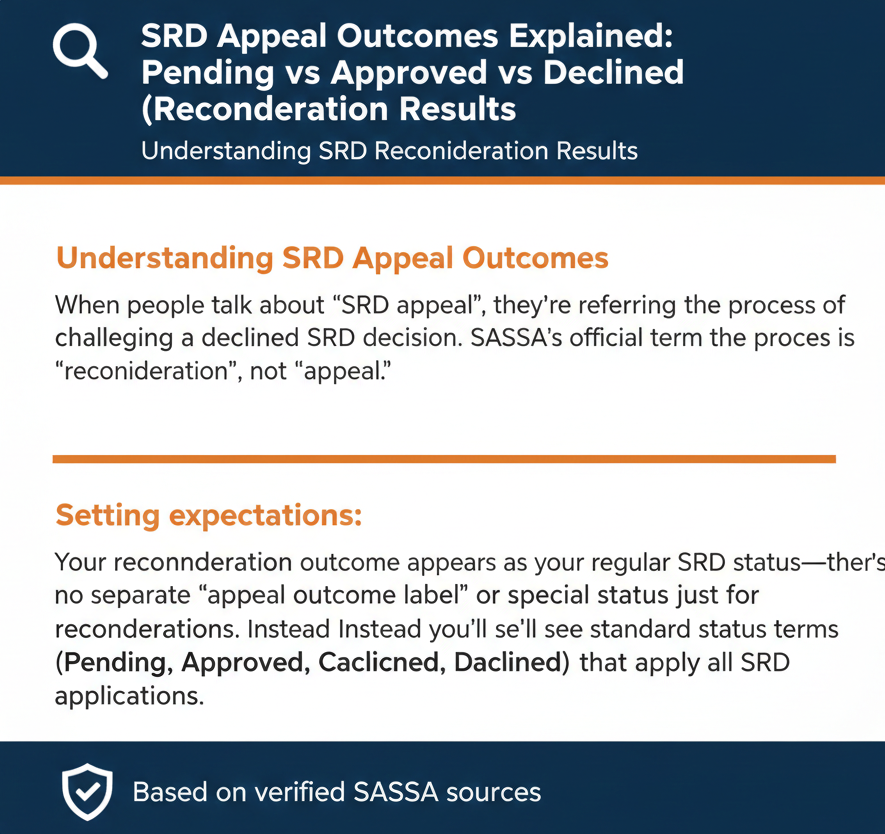
When people talk about “SRD appeal,” they’re referring to the process of challenging a declined SRD decision. SASSA’s official term for this process is “reconsideration”, not “appeal.”
Setting expectations: Your reconsideration outcome appears as your regular SRD status—there’s no separate “appeal outcome label” or special status just for reconsiderations. Instead, you’ll see the standard status terms (Pending, Approved, Declined, Canceled) that apply to all SRD applications.
Understanding Your Reconsideration Status
- Pending: Your verification is still being processed. The official guidance: “The client should check back the status later in the month for an update”.
- Approved (no pay day): You’re approved for the period, but payment hasn’t been processed yet. Official wording: “If no pay day value is provided, no payment has been processed as yet”.
- Approved (with pay day): You’re approved and payment is scheduled. Official instruction: “The client should check the pay day field for an indication of when they will receive their money”.
- Declined: Your application was declined for that period, and a reason should be provided. Official next step: “The client can submit a request for reconsideration via the website, should they feel that the reason is invalid”. Remember: “Client must request reconsideration for each month that the application is declined”.
“Appeal” vs “Reconsideration” (Official Terminology)
Understanding the official terminology helps you navigate SASSA systems and find accurate information.
What reconsideration means (official)
This is SASSA’s formal process for challenging a declined decision. When you request reconsideration, SASSA reviews your application again to determine if the original decline was correct.
Is “appeal” an official term?
No official definition or usage distinguishing “appeal” from “reconsideration” was found in the reviewed official documentation.
What this means for you: SASSA uses “reconsideration” in official sources, while many people online and in everyday conversation use “appeal.” They mean the same thing in practice—challenging a declined SRD decision—but when you’re looking at official SASSA portals, documents, or communications, look for the word “reconsideration.”
This guide uses both terms to help you find the information you need, but we follow SASSA’s official language (“reconsideration”) when explaining how the process works.
Where These Outcomes Appear (Status Page)
Your reconsideration outcome isn’t shown in a special section—it appears as your regular SRD status.
Official place to check status
This is on the SRD website at https://srd.sassa.gov.za. After you request reconsideration, you check the result in exactly the same place where you check your regular SRD status.
Official channels that can be used for status inquiries
SASSA provides multiple official channels for checking status:
- Website: Application Status tab on srd.sassa.gov.za
- WhatsApp: “WhatsApp: send message to 082 046 8553”
- Call centre: “Toll Free Call Centre: Contact- 0800 60 10 11”
- Email: “Send an email to: Grantsenquiries@sassa.gov.za”
- SASSA chatbot: “SASSA Chatbot: www.sassa.gov.za”[1]
All of these are officially listed channels you can use to check your status or get help.
Outcome Meanings (Official Definitions)
Here’s what each status term means, using only official SASSA definitions.
Pending
What this means: SASSA is still reviewing your application or reconsideration for that month. Your information is being checked against eligibility criteria and government databases. This is a waiting status—no action is needed from you right now.
What to do: The official guidance is to “check back the status later in the month for an update”. Keep checking periodically to see when your status changes.
Declined
What this means: Your application (or reconsideration) didn’t meet eligibility criteria for that specific month. A reason for the decline should be shown when you check your status.
What to do: The official next step: “The client can submit a request for reconsideration via the website, should they feel that the reason is invalid”. If you’ve already requested reconsideration once and it’s declined again, you can request another reconsideration within 30 days if you believe the decision is still wrong.
Approved (no payment date)
What this means: You’re approved for that month—your reconsideration was successful! However, the payment hasn’t been scheduled or processed yet.
What to do: Keep checking the “pay day” field. The official instruction: “The client should check the pay day field for an indication of when they will receive their money”. Once a date appears in this field, that’s when you can expect payment.
Approved (with payment date / pay day shown)
What this means: You’re approved for that month, and SASSA has scheduled your payment. The date shown in the “pay day” field is when you should receive your money.
What to do: Note the date and check your bank account or collection point on or after that date. Make sure your banking details are correct and in your own name (more on this below).
Canceled
What this means: Your SRD grant application is no longer active. This usually means you (or someone with access to your account) cancelled the application.
What to do: If you see this status and you didn’t cancel your application yourself, contact SASSA immediately through official channels to find out why your grant shows as cancelled.
Status labels people talk about (but not verified here)
Some status terms you might see mentioned online are NOT FOUND in official documentation:
- “Referred”
- “Reconsideration pending”
- “Reconsideration approved”
- “Reconsideration declined”
If you see these terms on unofficial websites, they’re not coming from official SASSA sources. Stick to the standard status definitions above.
SRD Status Quick Reference Table
| Status | Official Meaning | What You Should Do Next |
|---|---|---|
| Pending | “Verification of the application for the period is pending” | Check back later in the month for an update |
| Declined | “The application was declined for the period and the reason is provided” | Request reconsideration if you believe the reason is invalid |
| Approved (no pay day) | Approved, but “no payment has been processed as yet” | Check the pay day field regularly for a payment date |
| Approved (with pay day) | Approved with payment scheduled | Check your bank account on the pay day shown |
| Canceled | “The grant is cancelled” | Contact SASSA if you didn’t cancel it yourself |
What To Do Next for Each Outcome (Official Next-Steps Only)
If status is Pending
What “verification pending” implies: Your reconsideration is still being reviewed. SASSA is checking your information against various databases and eligibility criteria. The system hasn’t made a final decision yet.
When to check again: The official guidance says “later in the month”, but doesn’t specify exact days or a specific timeline. A practical approach is to check weekly or every few days—but checking multiple times per day won’t speed up the process.
What NOT to do: Don’t submit another reconsideration request while your status is Pending. Wait for the outcome before taking further action.
If status is Approved
Official guidance about payment: The approval status is directly tied to the pay day field. “The client should check the pay day field for an indication of when they will receive their money. If no pay day value is provided, no payment has been processed as yet”.
Two scenarios:
Scenario 1: Approved with no pay day value
- You’re approved, but payment processing hasn’t started yet
- Keep checking regularly for a pay day date to appear
- No action needed from you—just monitor your status
Scenario 2: Approved with pay day value shown
- You’re approved and payment is scheduled
- The date in the “pay day” field is when you should receive payment
- Check your bank account or collection point on or after that date
Banking details reminder: Make sure your banking information is correct. The official requirement: “The bank account details provided must be in the name of the applicant, because SASSA cannot pay into the account of any person other than the approved applicant”.
If status is Declined
The important monthly rule: “Client must request reconsideration for each month that the application is declined”.
What this means in practice:
- Read the decline reason carefully. Your status should show why you were declined. Understanding the reason helps you decide whether reconsideration makes sense.
- You can request another reconsideration. Even if you’ve been declined after reconsideration once, you can request reconsideration again within 30 days if you believe the decision is still wrong.
- It’s month-by-month. If you’re declined for February and March, you need to request reconsideration separately for each month. One reconsideration request doesn’t fix multiple months.
- The 30-day window applies. You have “30 days of receiving the declined reason” to request reconsideration for each declined month.
If status is Canceled
What “Canceled” means: “Canceled: The grant is cancelled”.
Beyond this official definition, there’s limited guidance about what to do if you see this status. The practical steps:
- If you cancelled it yourself: This status is expected. If you want to reactivate, you’ll need to look at the reinstatement process (separate from reconsideration).
- If you didn’t cancel it: Contact SASSA immediately through official channels (WhatsApp, call centre, or email) to find out why your grant shows as cancelled and what you can do about it.
Payments After Approval (Pay Day Field + Banking Name Rule)
Understanding how payments work after approval helps you know what to expect.
“Approved but no pay day” explained
This is common and doesn’t mean there’s a problem. It simply means:
- SASSA has approved your application or reconsideration
- The approval is recorded in the system
- Payment processing hasn’t started yet
What to do: Keep checking the pay day field. Once SASSA processes payments for approved applications in that cycle, a date will appear.
Where to find and how to read “pay day”
When you check your status on the SRD portal, look for a field labeled “pay day” or similar. If this field shows a date, that’s when you should expect payment. If it’s empty or shows no value, payment hasn’t been processed yet.
Banking details safety (official)
What this means for you:
- Your bank account must match your ID and application. If your banking details are in someone else’s name (a family member, friend, or agent), SASSA cannot pay into that account.
- Payment won’t go to a third party. Even if someone offers to “help” by letting you use their bank account temporarily, SASSA’s system won’t allow it.
- Keep your banking details updated. If you’ve changed banks or your account, make sure your details in the SASSA system match your current, valid account in your own name.
Timelines: How Long Reconsideration/Outcomes Take (Verified-Only)
One of the most common questions is: how long does reconsideration take?
What SASSA officially acknowledges
This official newsroom statement (dated January 18, 2022) acknowledges that reconsideration processing takes longer than applicants might hope. SASSA has asked for “patience and restraint from affected clients while the resolution of the process is accelerated”.
What is not officially stated
No official numeric processing timeframe was found in the reviewed sources.
You will NOT find official statements like:
- “Reconsideration results appear within 7 days”
- “Allow 14 days for processing”
- “Expect a decision within 30 days”
- “Pending status changes to Approved/Declined in 10 business days”
These specific timeframes don’t appear in official SASSA documentation. If you see them elsewhere, they’re either outdated, unofficial estimates, or invented.
What users should do during delays
- Check status periodically. Use the official portal’s Application Status tab to monitor changes. Since there’s no guaranteed timeframe, regular checking (weekly or bi-weekly) is your best approach.
- Be patient but persistent. SASSA has asked for patience, but if weeks pass with no change to your status, it’s reasonable to use official contact channels to inquire about your specific case.
- Use official channels if stuck. If your status stays on Pending for an extended period with no update, contact:
- WhatsApp: 082 046 8553
- Call centre: 0800 60 10 11
- Email: Grantsenquiries@sassa.gov.za
Don’t trust “fast-track” promises. Anyone claiming they can speed up your reconsideration for a fee or guarantee a specific timeline is not operating with official information.
How to Check Status (Methods)
Here are all the official methods for checking your reconsideration outcome.
Method 1 — Website
Official method: “Under Application Status tab: click here to check status”
Portal location: https://srd.sassa.gov.za
This is your primary tool. Navigate to the Application Status section and follow the prompts to check your status for each month.
Method 2 — WhatsApp
Official contact: “WhatsApp: send message to 082 046 8553”
Send a WhatsApp message to this number for status inquiries. The official documentation lists this channel but doesn’t provide step-by-step prompts or specific keywords to use.
Method 3 — Call centre
Official contact: “Toll Free Call Centre: Contact- 0800 60 10 11”
Call this toll-free number for assistance. It’s free from any South African phone. The official documentation provides the number but not a detailed call flow or menu options.
Method 4 — Email
Official email: “Send an email to: Grantsenquiries@sassa.gov.za”
Use this for written inquiries and when you need documentation of your question or issue.
Method 5 — SASSA chatbot
Official reference: “SASSA Chatbot: www.sassa.gov.za”[1]
The chatbot is mentioned as an official channel, though the specific functionality isn’t detailed in the reviewed sources.
Important note: The official documents list these channels but don’t provide step-by-step prompts, messages, or instructions for WhatsApp, call centre, email, or chatbot interactions. When you use these methods, follow any automated prompts or instructions you receive.
Safety and Scam Warnings (Official)
Protecting yourself from scams is crucial when checking reconsideration outcomes.
OTP/PIN security
Critical safety rule: Never share your OTP or PIN with anyone.
SASSA will never call, WhatsApp, or email asking for your OTP. The only place you should enter this code is on the official SASSA portal during verified processes.
Common scam scenario: Someone calls or messages claiming to be from SASSA and says “give me your OTP so I can check your reconsideration status” or “I need your PIN to approve your appeal.” This is a scam. Hang up or ignore the message.
False/misleading information warning
This applies to all SRD processes, including reconsideration. Always provide accurate, truthful information when dealing with SASSA—providing false information isn’t just against policy, it’s legally punishable.
Fee warning
Fee warning: NOT FOUND (OFFICIAL) in the reviewed sources.
While we don’t have an explicit official quote stating “reconsideration is free,” the official processes described don’t mention any fees.
Practical safety guidance: If someone asks you to pay to:
- Check your reconsideration status
- “Speed up” your reconsideration processing
- “Guarantee” approval of your reconsideration
- Access the “real” status vs the “public” status
…they’re running a scam. Use only the official free channels listed above.
Safe domains
Only trust these domains:
- srd.sassa.gov.za
- sassa.gov.za
These are the only verified official domains. Any other website—even if it has “SASSA,” “SRD,” or “reconsideration” in the name—is not verified. Never enter your personal information (ID number, OTP, banking details) on sites with different domain endings.
Myths and Unofficial Claims to Avoid
These claims appear frequently online but are NOT supported by official SASSA sources.
“Appeal via WhatsApp”
Status: WhatsApp is officially listed for status inquiries, but NOT as a method to submit reconsideration requests.
The truth: You check your status or ask questions via WhatsApp. You submit reconsideration requests through the SRD website portal, not via WhatsApp message.
“Appeal via USSD”
Status: NOT FOUND (OFFICIAL)
No official USSD code for SRD reconsideration exists in SASSA documentation.
Paying a fee/agent
Status: NOT FOUND (OFFICIAL)
No official fee for reconsideration or for checking reconsideration outcomes. Anyone asking for payment is running a scam.
“Guaranteed approval”
Status: NOT FOUND (OFFICIAL)
No official guarantee exists that requesting reconsideration will result in approval. Reconsideration means SASSA reviews your application again—it doesn’t override eligibility criteria or guarantee a different outcome.
Deadlines other than 30 days for reconsideration
Status: CONTRADICTS OFFICIAL SOURCES
The official deadline is clear: “within 30 days of receiving the declined reason”. Any other timeframes contradict official documentation.
FAQs
What does “Pending” mean after SRD appeal?
Official definition: “Verification of the application for the period is pending”.
Your reconsideration is being reviewed. Official guidance: “check back the status later in the month for an update”.
What does “Approved (no payment date)” mean?
You’re approved, but “no payment has been processed as yet”. Keep checking the pay day field for a payment date to appear.
What does “Approved with pay day” mean?
You’re approved and payment is scheduled. “The client should check the pay day field for an indication of when they will receive their money”. The date shown is when you should receive payment.
What does “Declined” mean on SRD status?
Official definition: “The application was declined for the period and the reason is provided”.
A decline reason should be shown. You can request reconsideration if you believe the reason is invalid.
What does “Canceled” mean on SRD status?
Official definition: “Canceled: The grant is cancelled”.
Your grant is not active. If you didn’t cancel it yourself, contact SASSA immediately.
If my reconsideration is declined, what can I do next?
You can submit another reconsideration request. Official guidance: “The client can submit a request for reconsideration via the website, should they feel that the reason is invalid”. You have 30 days from receiving the declined reason.
Do I need to request reconsideration for each declined month?
Yes. The official rule: “Client must request reconsideration for each month that the application is declined”. One reconsideration doesn’t fix multiple months.
What is the deadline to request reconsideration?
You have “30 days of receiving the declined reason” to request reconsideration.
Where do I check my SRD appeal/reconsideration status?
Go to https://srd.sassa.gov.za, navigate to the Application Status tab, and “click here to check status”.
How do I check the pay day field?
When you check your status on the SRD portal, look for the “pay day” field. Official instruction: “The client should check the pay day field for an indication of when they will receive their money”.
What if I don’t see a pay day value?
Official explanation: “If no pay day value is provided, no payment has been processed as yet”.
Keep checking—a date will appear once payment processing begins.
How long does SRD reconsideration take?
SASSA acknowledges: “SASSA has experienced delays processing reconsiderations for the COVID-19 SRD Grant”. No official numeric timeframe is provided.
What is the official SRD WhatsApp number?
082 046 8553. Official contact: “WhatsApp: send message to 082 046 8553”.
What is the SRD call centre number?
0800 60 10 11. Official contact: “Toll Free Call Centre: Contact- 0800 60 10 11”.
What is the SRD email address?
Grantsenquiries@sassa.gov.za. Official email: “Send an email to: Grantsenquiries@sassa.gov.za”.
Is there a fee to check SRD status?
No official fee is mentioned in the reviewed sources. Checking status via official channels should be free. Avoid paying anyone who claims you must pay for status checks.
Can I appeal via WhatsApp?
WhatsApp is for status inquiries, not for submitting reconsideration requests. Submit reconsideration through the SRD website portal.
What if I changed my mobile number?
No specific guidance for mobile number changes in the reconsideration context was found. Contact SASSA through official channels (call centre: 0800 60 10 11) to update your mobile number.
What if I can’t access my mobile number?
Contact SASSA through the call centre (0800 60 10 11) or email (Grantsenquiries@sassa.gov.za) for help.
What are the safe SRD domains?
Only srd.sassa.gov.za and sassa.gov.za are verified official domains. Never enter personal information on sites with different endings.
Key Takeaways
- ✓ Use “reconsideration” as the official process name. While people commonly say “appeal,” SASSA’s official term is reconsideration.
- ✓ Outcomes show via standard SRD status terms. There are no special “reconsideration approved” or “appeal pending” labels—you’ll see Pending, Declined, Approved, or Canceled.
- ✓ Payment depends on the pay day field. “Approved (no payment date)” means no payment processed yet; keep checking for a date to appear.
- ✓ Reconsideration can be delayed. SASSA officially acknowledges delays; no numeric timeframe is provided.
- ✓ It’s monthly. You must request reconsideration for each declined month separately.
- ✓ 30-day window. You have 30 days from receiving the declined reason to request reconsideration.
- ✓ Use official channels. Website, WhatsApp (082 046 8553), call centre (0800 60 10 11), email (Grantsenquiries@sassa.gov.za), and chatbot are official.
- ✓ Avoid fee/agent/guarantee claims. No official fees found; anyone promising guaranteed approval or asking for payment is likely running a scam.
- ✓ Banking must match your name. SASSA cannot pay into someone else’s account.
- ✓ Safe domains only. Use only srd.sassa.gov.za and sassa.gov.za for SRD actions.