SRD R370 Status Check: Everything You Need to Know
If you’re reading this, chances are you’re trying to check your SRD R370 grant status and maybe feeling a bit frustrated or confused about the whole process. You’re not alone. Thousands of South Africans check their SRD status every single day, and we’ve created this guide to walk you through everything step by step.
This isn’t just another technical guide full of jargon. We’ve written this the way we’d explain it to a friend or family member who needs help. Our goal is simple: help you check your status, understand what it means, and know exactly what to do next.
Important reminder: This is an information site designed to help you understand the SRD process. For actual submissions, updates, and appeals, you’ll always need to use the official SASSA and SRD channels we’ll point you to throughout this guide.
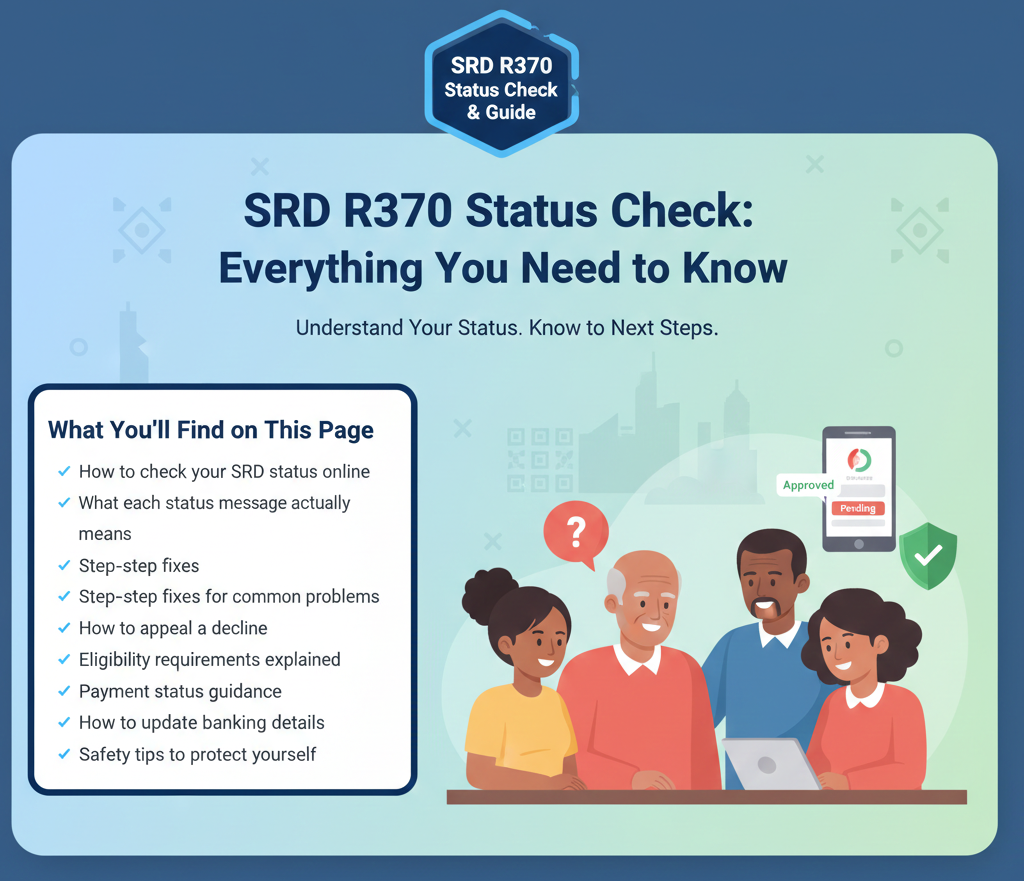
What You’ll Find on This Page
Let’s start with the basics.
Before You Check: What You’ll Need
Getting your status check right the first time saves you frustration later. Here’s what you need to have ready:
-
Your 13-digit South African ID number:
This needs to be exactly as it appears on your ID document. Double-check you’re not mixing up numbers.
-
The phone number you used when you applied:
This is really important. If you’ve changed your phone number since you applied, the system might not recognize you. We’ll cover how to fix this later in the guide, but if possible, try to access your original number for the status check.
-
A moment of patience:
The official portals can be slow during busy times, especially early in the month when many people are checking. If the page doesn’t load immediately, take a breath and try again rather than clicking multiple times.
How to Check Your SRD Status Online (Step by Step)
The fastest and most reliable way to check your status is through the official SRD status page, known as SC19. Here’s exactly how to do it:
Step 1: Open the Official Portal
Navigate to the official SRD status checking page. Make sure you’re on the legitimate government site by checking the web address carefully. Scammers create fake sites that look similar, so this matters.
Step 2: Enter Your Details Carefully
You’ll see fields asking for:
- Your South African ID number (all 13 digits)
- Your phone number (the one you used when you applied)
Enter these exactly as they were used in your original application. Even one wrong digit will give you an error or incorrect information.
Step 3: Submit and Review Your Result
Click submit and wait for the page to load. Don’t refresh or click again if it’s taking time. The system will show you your current status for the period you’re checking.
Step 4: Read Everything on the Result Page
Your result might include several pieces of information:
- Your application status (Approved, Pending, or Declined)
- Any messages about verification or banking details
- Instructions for next steps if action is needed
- Sometimes, payment-related information
Take a screenshot or write down what you see. This helps if you need to follow up later or contact SASSA for support.
What If the Site Won’t Load or Submit?
Technology isn’t perfect, and sometimes the portal has issues. If you’re stuck, try these quick fixes:
- Wait and try again later: Peak times (like early morning or right after work hours) can slow the system. Try checking during off-peak hours like mid-morning or early afternoon.
- Switch browsers: If you’re using one browser, try another. Chrome, Firefox, and Edge all work, but sometimes one performs better than others.
- Try mobile data instead of Wi-Fi, or vice versa: Connection issues sometimes resolve by switching your internet source.
- Clear your browser cache: Old stored data can sometimes interfere with loading the page properly.
If none of these work, don’t panic. There are other official ways to get help, which we’ll cover next.
Other Official Ways to Check or Get SRD Help
Not everyone wants to use a web browser, and sometimes you need a different option. SASSA has provided several official channels for exactly this reason.
Official WhatsApp Channel
SASSA has set up a WhatsApp channel specifically for SRD support. This can be incredibly helpful if the website keeps failing for you, if you prefer a chat-style interaction with menu prompts, or if you need to ask follow-up questions.
How to use it: Save the official SASSA WhatsApp number to your contacts and send a message. The system will guide you through menu options to check your status, get information, or access other services. Follow the prompts step by step, and the system will walk you through what you need.
SASSA Call Centre
Sometimes you just need to talk to a real person, especially if you’re dealing with a complicated situation or technical problem you can’t solve online. The SASSA call centre has a toll-free number (meaning it won’t use your airtime).
When you call, have your ID number ready, be prepared to explain your specific issue, write down any reference numbers or information they give you, and be patient, as call volumes can be high. The call centre staff can help you understand your status, guide you through technical issues, and point you toward the right solution for your specific situation.
Email for Written Follow-ups
For issues that need documentation or if you prefer written communication, SASSA has an official grants enquiries email address. Email is particularly useful when you need to keep a record of your communication, or if you’re escalating an issue that hasn’t been resolved through other channels.
When emailing, include your full name, ID number, a clear description of your issue, any reference numbers from previous interactions, and the best way to contact you back.
A Note About USSD
You might see references online to USSD codes for SRD applications. These were used during the early COVID-19 SRD period. Before using any USSD code you find online, verify it’s current and official. The web portal and WhatsApp are your most reliable current options.
Understanding Your SRD Status: What Each Message Really Means
Your status isn’t just a simple yes or no. The system gives you specific messages that tell you where you stand and what needs to happen next. Let’s break down each possibility in language that makes sense.
“Approved” Status
What this actually means: Your application has been accepted for the period you’re checking. This is good news, but it doesn’t automatically mean money is already in your account.
What you should do next:
First, take a moment to feel relieved! Then, move on to the practical steps:
- Confirm your banking details are correct. If you selected bank payment, make sure the account number is right. Even one wrong digit means your payment goes nowhere.
- Check if there’s a payment date shown. Sometimes your result will include information about when to expect payment. If it’s there, make note of it.
- If you recently changed your phone number, make sure the update process is complete. Some payment steps require a PIN sent to your registered number, and if that number is wrong, you won’t get the message you need.
- Keep checking for payment updates. If a payment date wasn’t shown, check back periodically.
Important context: Being approved doesn’t mean instant payment. There are processing steps, verification procedures, and batch payment timings that affect when money actually arrives. If you’re approved but money hasn’t appeared yet, don’t assume something is wrong immediately. Give it some time, but also stay informed about what’s normal.
“Pending” Status
What this actually means: Your application is still being reviewed for that period. Think of it like your application is in a queue waiting for the various checks and verifications to be completed.
What you should do next:
The most important thing with a pending status is knowing what NOT to do, which is constantly re-checking or submitting duplicate information.
- Recheck weekly, not daily. Checking multiple times a day won’t speed up the process and might actually cause confusion in the system. Once a week is reasonable.
- Make sure your details match your application exactly. Double-check that the ID number and phone number you’re using to check status are identical to what you used when you applied.
- If you changed contact information, complete the official update process.
- Verify you still meet eligibility requirements. If your situation changed (you got a job, started receiving UIF, enrolled in an NSFAS program), this could affect your application.
How long is too long for pending? There’s no official timeline published for how long pending should last, but if you’ve been pending for many weeks, it’s worth using the troubleshooting steps or contacting SASSA for guidance. Don’t just wait indefinitely without checking what might be holding things up.
“Declined” Status
What this actually means: Your application was reviewed and not approved for that specific period. This can be disappointing, but it’s not necessarily the end of the road.
What you should do next:
- Look carefully at the reason given. Your status result should include some explanation of why you were declined. This might relate to the means test (income threshold), verification mismatches, or other eligibility criteria.
- Assess whether the decline is correct or incorrect. If you know you no longer meet the requirements (for example, you started working), the decline is probably correct. If you believe the decline is wrong, an appeal makes sense.
- If appealing, use the official process. Fix the problem first, or appeal if the decline was incorrect.
A word of encouragement: A decline feels personal, but remember that the system is running automated checks against multiple databases. Sometimes these checks produce errors. If you genuinely believe you qualify, the appeal process exists for exactly this reason.
Verification Issues (Identity or Details Mismatch)
What this actually means: The system couldn’t validate something about your application. This often relates to your ID details, residency status, or other information that gets checked against government databases.
What you should do next:
- Verify you’re entering information exactly right. One mistyped digit in your ID number can trigger a verification issue.
- Make sure your ID document status is current. If there are issues with your ID at Home Affairs, this can cause verification problems.
- If your contact details changed after applying, use the official update process. The system might be trying to verify you using old information.
- Follow any specific instructions shown in your result. Only use official channels for these steps.
- If verification issues persist, contact SASSA directly. There might be a database mismatch that requires manual intervention.
Understanding SRD Payments: What to Expect and When
One of the most common questions people have is “When will I get paid?” It’s completely understandable. You’re relying on this money, and you need to know when it’s coming. Let’s clear up some confusion.
How SRD Payment Timing Works
Unlike some of the main social grants that have fixed payment dates published in advance, SRD payments work a bit differently. Here’s what’s officially confirmed:
- Payments are monthly from approval date: The SRD grant is paid monthly, starting from when your application is approved. There’s no backpay for months before you applied.
- Payments happen in batches: SASSA processes SRD payments in batches rather than all at once. This means even if you and your neighbor were both approved on the same day, you might receive payment at different times.
- The payment channel matters: How you chose to receive payment (bank account, cash send, etc.) can affect timing. Some methods process faster than others.
How to Actually Check Your Payment Status
Instead of searching online for generic “SRD payment dates” calendars (which are often inaccurate or outdated), do this:
- Check your SRD status on SC19 first. This is your most reliable source of current information.
- Look for payment-specific information in your result.
- If you’re approved but don’t see payment information, use the troubleshooting steps in the next section.
- Check your bank account or payment method regularly if you’re approved. Don’t assume you’ll get a notification; sometimes the money just appears.
Why Your Payment Might Be Delayed
If you’re approved but haven’t received payment, several things could be causing the delay:
- Batch processing timing: Your payment might simply be in an upcoming batch. This isn’t an error; it’s just how the system works.
- Verification steps still in progress: Even after approval, there can be additional verification happening in the background, especially for banking details.
- Banking details need confirmation or correction: If your account number was entered incorrectly, or if the bank account doesn’t match your verification details, payment can’t go through.
- Contact details preventing PIN/OTP delivery: Some steps require a PIN sent to your phone. If your number is wrong or inactive, you can’t complete these steps.
- The payment has been made but hasn’t reflected yet: Depending on your bank or payment method, there can be a delay between SASSA releasing payment and it showing in your account.
Before you panic about a delayed payment, work through the troubleshooting section below. Most payment issues have fixable causes.
Fix Center: Solving Common SRD Problems Step by Step
This is where we get practical. Below are the most common problems people face with SRD, and exactly what to do about each one. Work through these in order, and don’t skip steps.
Problem 1: The Status Check Site Won’t Work
What’s happening: The page won’t load, keeps timing out, or gives errors when you try to submit.
Try this first (takes 2 minutes):
- Refresh the page and try again.
- Come back later, especially if you’re trying during peak hours.
- Try a different browser.
- Switch between mobile data and Wi-Fi.
- Re-enter your phone number very carefully, exactly as you used it.
If it’s still not working: Use the WhatsApp channel as your backup option. If you need information urgently, call the SASSA call centre. Try again later in the day or the next day.
Don’t:
- Keep refreshing constantly or clicking submit over and over.
- Assume the system is broken forever.
- Give up and use unofficial third-party sites. These can be scams.
Problem 2: You’ve Been “Pending” for a Long Time
What’s happening: Your status has shown “Pending” for weeks, and you’re wondering if something is wrong.
What this usually means: Your application is in the review queue, and various checks haven’t been completed yet. Sometimes there’s a specific issue holding things up; sometimes it’s just processing time.
Your checklist:
- Check weekly, not daily. Give the system time to work.
- Confirm your ID and phone number are exactly right.
- If you changed contact information after applying, complete the official update process.
- Review the eligibility requirements. If your situation changed, this could be affecting your application.
- Make sure you haven’t missed any communication (SMS).
If pending continues for an unreasonable time: If you’ve been pending for more than a month or two, it’s worth reaching out to the call centre or via email. Don’t just wait indefinitely.
Don’t:
- Submit a new application while the old one is pending.
- Make random changes to your details hoping it will help.
Problem 3: Your Application Was Declined
What’s happening: You received a declined status, and you’re not sure what to do.
Your decision tree:
Step 1: Read the decline reason carefully (means test, database mismatch, etc.).
Step 2: Assess if the decline is correct or incorrect. If you know you don’t meet the requirements, an appeal probably won’t succeed. If you believe the decline is wrong, move to Step 3.
Step 3: If appealing, use only the official process. Never use third-party companies or services.
Don’t:
- Immediately reapply without fixing the underlying issue.
- Pay anyone to appeal for you (it’s free).
- Ignore the decline and just stop checking (if you qualify, you deserve the grant).
Problem 4: How to Appeal an SRD Decline (Complete Process)
What’s happening: You were declined, you believe it’s incorrect, and you want to appeal.
First, understand the timing rules: This is really important. According to the appeals guidance, you can appeal within 30 days, but not later than 90 days after the decision. If you miss this window, your options become very limited.
The appeal process, step by step:
Step 1: Go to the official SRD appeals portal. Check the web address carefully.
Step 2: Enter your ID number and phone number (must match original application).
Step 3: Follow the prompts to lodge your appeal. Specify the period and why you believe it was incorrect.
Step 4: Submit and make note of any reference number given.
Step 5: Check appeal status using the same portal after a week or two.
What to expect: Appeal processing takes time, often several weeks. You’ll receive communication via your registered phone number. The decision will be either to uphold your decline or to approve you for that period.
Tips for a successful appeal: Be clear and specific. Reference specific requirements. Explain database errors if applicable. Be truthful.
Don’t:
- Miss the deadline (critical).
- Submit multiple appeals for the same period.
- Expect instant results.
Problem 5: Approved But No Payment (Or Payment Missing/Late)
What’s happening: Your status shows you’re approved, but you haven’t received any money, or it’s much later than you expected.
Work through this sequence in order:
Step 1: Recheck your status. Confirm approval is still showing.
Step 2: Verify your phone number is active and correct (some steps need PIN/OTP).
Step 3: Confirm your banking details are correct and up to date. Verify account number, bank name, active status, and that the account is in your name.
Step 4: Wait a reasonable amount of time (at least a week or two from approval).
Step 5: If delay continues, contact SASSA for payment-specific guidance. Call or email with your specific details.
Things to double-check:
- Have you checked the actual account, not just assumed?
- Is your phone getting SMSs (test it)?
- Did you accidentally block the number SASSA sends from?
- If using cash option, have you checked at the correct location?
Don’t:
- Panic immediately.
- Make random changes to banking details.
- Fall for scams claiming to “speed up” payment for a fee.
Problem 6: Banking Details Issues (Updating or Correcting)
What’s happening: You need to change your bank account number, or you’ve realized the details on file are wrong.
How to update banking details officially:
Step 1: Go to the official SRD banking update page.
Step 2: Enter your ID number and follow the prompts.
Step 3: Provide new details carefully. Triple-check every digit.
Step 4: Complete any verification steps (PIN to phone or bank confirmation).
Step 5: Keep proof of your update (screenshot).
Important things to know: Banking confirmation happens electronically. The system verifies your account is real and matches your details.
Common mistakes that cause problems:
- Entering a different bank account than the one you can verify.
- Using a phone number you no longer control.
- Trying to use someone else’s bank account (it MUST match your ID).
- Making typos in account numbers.
Don’t:
- Use third-party services.
- Share banking details with helpers.
- Enter details for an account that’s not yours.
Problem 7: Your Phone Number Changed (Can’t Access the Old Number)
What’s happening: You applied using one phone number, but now you have a different number and can’t access the old one.
Why this matters: The system sends PINs, OTPs, and messages to your registered number. Without access, you can’t complete steps.
What you’ll need:
- Your 13-digit ID number
- Your 6-digit Application ID (AppID)
Where to find your AppID: Check old SMS messages from SASSA, check old emails, or check confirmation screens if you saved them. If you really can’t find it, contact the call centre.
The update process:
Step 1: Go to the official SRD contact update page.
Step 2: Enter your ID number and AppID.
Step 3: Follow the prompts to update your number/email.
Step 4: Complete verification steps.
Don’t:
- Guess your AppID.
- Skip the update process and hope it works.
- Use someone else’s phone number.
Problem 8: Not Receiving PIN or OTP Messages
What’s happening: The system says it’s sending a PIN to your phone for verification, but you’re not receiving it.
The troubleshooting sequence:
- Step 1: Confirm the phone number is correct.
- Step 2: Make sure your phone can receive SMSs (test it).
- Step 3: Ensure you have network coverage.
- Step 4: Check if you accidentally blocked the number.
- Step 5: Wait a bit and try again (15-30 minutes).
- Step 6: If it keeps failing, update contact details or contact SASSA.
Don’t:
- Request the PIN over and over rapidly (this can block you).
- Assume it’s a scam if the number looks unfamiliar.
- Give up without trying troubleshooting.
SRD Eligibility Requirements: Am I Qualified?
Understanding whether you qualify for SRD is fundamental. If you don’t meet the requirements, your application will be declined, and appealing won’t change that. Let’s be very clear about what the rules actually are.
Important note: Eligibility rules can change. What we’re covering here is based on current government guidance, but always check official sources for the most current information.
The Core Requirements (You Must Meet ALL of These)
Understanding the Means Test Threshold
This is where many people get confused, so let’s break it down clearly.
The official threshold: R624 per person per month. In 2022, the threshold was set at R624 (replacing the earlier R350). This means if the system’s checks identify you have income above R624 per month for a relevant period, you may not qualify.
How is this checked? SASSA validates your info against government and financial databases (Dept. of Labour, SARS, Bank records, etc.). If these show income above the threshold, you’ll likely be declined.
What counts as income? Salary/wages, UIF payments, self-employment income, regular financial support appearing in your bank, NSFAS stipends, and other social grants.
What if the means test gets it wrong? Database info can be outdated or incorrect (old employer records, delay in updates, info linked to someone else). If you genuinely have no income but are declined, this is a valid reason to appeal.
What Information SASSA Actually Asks For
SASSA asks for: ID Number, Name/Surname, Gender/Disability status, Banking details, Cell phone number, and Proof of residential address.
Important clarification on documents:
SASSA has stated officially that they do NOT require applicants to scan and upload supporting documents like your actual ID document, proof of address, or bank statements. If any site or service asks you to upload these, be very cautious. It could be a scam.
Data verification consent: When you submit, you’re giving consent for SASSA to validate your info against government and financial data sources. This is how they verify eligibility without physical documents.
If Your Situation Changes
What if you qualified when you applied, but now your situation has changed (got a job, started UIF, NSFAS, income increase)? Be honest. Continuing to claim when you don’t qualify could have consequences. If changes are temporary (short-term job), you can reapply for subsequent months when you’re unemployed again.
Protecting Yourself: SRD Scam Safety
Unfortunately, wherever there’s government money, there are scammers. SRD recipients are common targets. Let’s make sure you don’t become a victim.
What Scammers Are After: Your banking details, your OTP/PIN (to access payments), and your ID/Phone number (for identity theft).
The Golden Rules for Staying Safe
- Rule 1: Only use official channels. Use only official SASSA/SRD portals. Never use third-party “helpers”.
- Rule 2: Never share your PIN or OTP. A real SASSA rep will never ask for this.
- Rule 3: Don’t click suspicious links. Go directly to official portals yourself.
- Rule 4: SASSA will never ask you to pay fees. The process is completely free.
- Rule 5: Be suspicious of unsolicited calls. Hang up and call official numbers yourself.
Common SRD Scam Tactics to Watch For
- “Your payment is waiting, just confirm banking details”: Fake SMS/WhatsApp with links to steal info.
- “Pay a small fee to release your payment”: SASSA NEVER charges fees.
- “We can guarantee your approval for a fee”: No one can guarantee approval but official verification.
- “Send me your OTP to verify identity”: Never share OTPs.
- Fake appeal services: Charging fees for a free official process.
How to Verify Official Sources
Check the address bar. Official sites end in .gov.za (e.g., sassa.gov.za or srd.sassa.gov.za). Be suspicious of .com or .org. When in doubt, go to the official site directly or call the official number.
What to Do If You’ve Been Scammed
If you’ve shared info or clicked a link, act fast:
Step 1: Change banking details immediately via the official portal.
Step 2: Contact your bank and tell them you suspect fraud.
Step 3: Report to SASSA official channels.
Step 4: Report to the police (open a case of fraud).
Step 5: Monitor your accounts closely. Don’t feel embarrassed; reporting helps protect others.
Frequently Asked Questions About SRD
About Checking Status
How do I check my SRD status online?
What information do I need to check my SRD status?
Can I check someone else’s SRD status?
How often should I check my SRD status?
The status check site isn’t working. What should I do?
Understanding Status Messages
What does “Approved” mean?
What does “Pending” mean?
What does “Declined” mean?
I keep getting verification messages. What does this mean?
My status changed from Approved to Pending. Is this normal?
About Appeals
How do I appeal an SRD decline?
What is the SRD appeal deadline?
How long does an appeal take?
How do I check my SRD appeal status?
Can I appeal multiple times?
What happens if my appeal is successful?
About Payments and Timing
When will I get paid after approval?
Why am I approved but haven’t received payment?
Is there a fixed SRD payment date each month?
Is there backpay for SRD?
What payment methods are available for SRD?
Can I change my payment method after approval?
About Banking and Contact Details
How do I update my banking details for SRD?
How do I change my phone number for SRD?
I’m not receiving PIN or OTP messages. What should I do?
Can I use someone else’s bank account for my SRD payment?
What if my bank account is closed or I can’t access it?
About Eligibility
What are the basic SRD eligibility requirements?
What is the SRD means test threshold?
I’m working part-time. Can I still get SRD?
I’m receiving child support grant for my child. Can I still get SRD?
I lost my job and qualify for UIF. Can I get SRD instead?
What if my situation changes after I’m approved?
About Applications and Reapplications
Do I need to reapply for SRD every month?
Does SASSA require me to upload scanned documents?
I applied but never received confirmation. Did it go through?
Can I have multiple SRD applications?
About Official Channels and Communication
Can I use WhatsApp to get SRD help?
What is the official SASSA call centre number?
What is the official SASSA grants email?
How do I know if a message from SASSA is real?
Will SASSA contact me by email?
Troubleshooting and Special Situations
What if I’m blocked from the system and nothing works?
I don’t have a smartphone. How can I check my SRD status?
I don’t have a bank account. Can I still receive SRD?
I’m a refugee. Can I get SRD?
What if the information in SASSA’s database is wrong?
Can I check my SRD status without data?
Final Thoughts: You’re Not Alone in This
If you’ve read this far, you’re clearly committed to understanding the SRD process and getting it right. That’s something to feel good about.
We know that dealing with government systems can be frustrating. Pages don’t load, statuses don’t make sense, payments are delayed, and sometimes it feels like you’re shouting into the void. You’re not imagining it—these systems aren’t perfect, and they’re handling millions of applications. But here’s what we want you to remember:
- You have rights. If you genuinely qualify for SRD, you deserve to receive it. Don’t give up just because the process is difficult.
- Problems usually have solutions. Most of the issues covered in this guide are fixable. Work through the steps, use official channels, and be persistent.
- It’s okay to ask for help. Whether that’s calling the SASSA call centre, asking a friend or family member, or visiting a SASSA office in person, getting help is fine.
- Scammers are the problem, not you. Being cautious is smart.
- Your situation matters. The SRD grant exists because unemployment and poverty are real struggles. There’s no shame in claiming what you’re entitled to.
What to Do Next
Here’s your action plan, depending on where you are in the process:
- If you haven’t checked your status yet: Gather your ID number and phone number, go to the official SC19 portal, and check now.
- If you’re pending: Recheck weekly, make sure details are correct. If it’s been more than a month or two, contact SASSA.
- If you’re declined: Read the reason. If it’s correct, accept it. If it’s incorrect, appeal before the 90-day deadline.
- If you’re approved but no payment: Confirm banking/contact details, give it time, then contact SASSA for payment help.
- If you have technical problems: Work through troubleshooting, try WhatsApp, or call the call centre.
If something on this page doesn’t make sense or match what you’re seeing: Remember that processes can change. When in doubt, official SASSA communications and websites are your most reliable source of current information.
Keep This Guide Handy
Bookmark this page or save the link somewhere you can find it easily. You might need to refer back to specific sections as your situation changes or as you move through the SRD process. Share it with friends or family members who are also navigating the SRD system. Helping each other makes the process less overwhelming for everyone.
A Final Word on Persistence
Government systems can test your patience. There will be moments when you feel like giving up. But if you qualify for SRD and need that support, keep going. Use the official channels, follow the steps, protect yourself from scams, and don’t be afraid to ask for help when you need it.
You’ve got this.