Reconfirm Existing SRD Application (What It Means + What To Do) — 2026
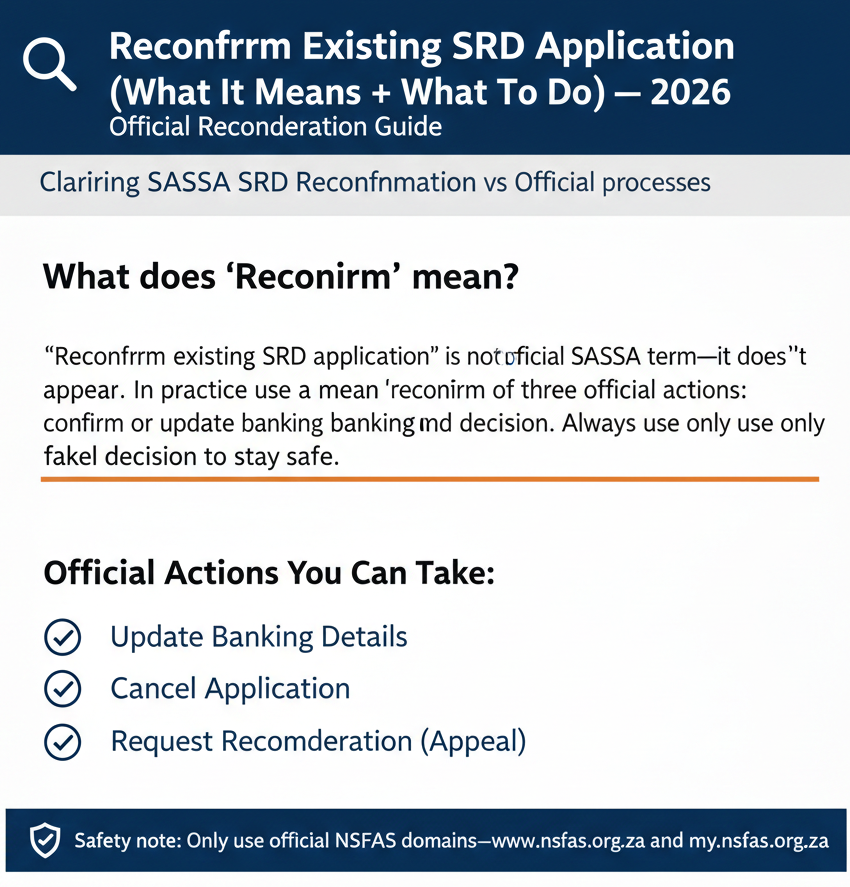
“Reconfirm existing SRD application” is not an official SASSA term—it doesn’t appear on official pages. In practice, people use “reconfirm” to mean one of three official actions: confirm or update banking details, cancel an application, or appeal a decision. Always use only srd.sassa.gov.za and sassa.gov.za to stay safe.
Is “Reconfirm Existing Application” an official SRD feature?
If you’ve been told to “reconfirm” your SRD application, you might be confused when you can’t find that exact option on the official SASSA portal. That’s because the word “reconfirm” isn’t actually used by SASSA in their official documentation or website.
What the official portal does (and does not) say
After thorough research of official SASSA sources, here’s what we found:
- NOT FOUND (OFFICIAL): There is no button, page, or instruction labeled “reconfirm existing application” anywhere on the official SASSA SRD portal.
What IS official in the documentation:
- The banking update process clearly states: “Confirm Existing Personal Banking Details. Agree to Terms and Conditions. Click Submit.”
- A cancel option exists with the instruction: “Cancel my Application tab: click here to cancel online”
- The appeals portal is real and states: “Lodge an Appeal or Check an Appeal Status”
These are the three main actions you can actually take on the official portal, and one of them is likely what someone means when they tell you to “reconfirm.”
What “reconfirm” usually means (unofficial wording) → mapped to official actions
When people talk about “reconfirming” your SRD application in everyday conversation, they’re typically referring to one of these official processes:
- Confirm banking details: This is the most common interpretation. The official banking update flow lets you verify or update your payment information.
- Update details and resubmit: While the portal allows updates to personal and banking information, it’s not specifically labeled as “reconfirm”—it’s simply part of the update process.
- Cancel and re-apply: Canceling an application is official, but the term “reapply” doesn’t appear in the official documentation we reviewed. The portal does allow cancellation, but what happens next isn’t spelled out with that specific wording.
- Appeal a decline: If your application was declined, the official route is to lodge an appeal, not to “reconfirm”.
Understanding this distinction matters because following unofficial advice can lead you to third-party sites that aren’t safe or accurate.
Before you do anything (official-only checklist)
Before you take any action on your SRD application, you need to know two critical things: where it’s safe to go and what information you’ll need.
Use only safe official links
According to official SASSA documentation, there are only two safe domain names you should ever use for SRD applications:
Any other website—even if it looks professional or claims to be “official”—is not verified by SASSA. This includes sites ending in .co.za, .com, or any other variation that isn’t exactly one of these two domains.
Details the official process may require (from official PDFs)
When you use any official SASSA portal function, here’s what you’ll typically need to provide, based on official documentation:
- Identity details: The official guidance states you must “Provide ID Number, Name, Surname as it is printed on the ID Document/Card”. Make sure your name matches your ID exactly—middle names, spacing, and spelling all matter.
- OTP step: The system uses one-time passwords for security. According to the official process, “Applicant will receive a 6 digit OTP number”. This comes to your mobile phone, so you’ll need access to the number you registered with.
- Consent step: Every submission requires agreement to terms. The official wording is: “Agree to Terms and Conditions”. This isn’t just a formality—SASSA takes consent seriously.
- Banking confirmation: If you’re updating payment details, you’ll see: “Confirm Existing Personal Banking Details”. This step ensures your grant money goes to the right account.
A word of caution: while a mobile phone is clearly needed (for the OTP), the official documents don’t state “mobile phone requirement” as a standalone bullet point. The requirement is implied through the OTP process and the reference to providing personal details.
Option 1 (Most common): Confirm / update SRD banking details (closest official match to “reconfirm”)
This is what most people actually need when they think they need to “reconfirm.” If your banking details are wrong, changed, or you’re not getting payments, this is your starting point.
Where to do it (official path)
The official banking update page is located at: https://srd.sassa.gov.za/sc19/banking-details-update
All the official guidance for this process is referenced in the PDF document available at: https://srd.sassa.gov.za/assets/special.pdf
Don’t use any other link you find on social media, WhatsApp groups, or third-party websites. Those could be phishing attempts designed to steal your information.
Step-by-step (from official guidance)
Here’s the official process, using only the exact steps documented by SASSA:
- Step 1: Enter your identity details
The instruction states: “Provide ID Number, Name, Surname as it is printed on the ID Document/Card”. Triple-check your ID number—one wrong digit will cause problems. - Step 2: Confirm banking details
You’ll see: “Confirm Existing Personal Banking Details”. This is where you verify or update your bank account information. If your details were wrong before, correct them here. - Step 3: Accept consent/terms
The system will ask you to “Agree to Terms and Conditions”. Read these carefully—they include important legal information about providing truthful details. - Step 4: OTP step
Once you submit, “Applicant will receive a 6 digit OTP number”. This usually arrives within a few minutes. Don’t share this code with anyone—not even someone claiming to be from SASSA. - Step 5: Submit
After entering your OTP, “Click Submit” to finalize the process.
That’s it. The official documentation doesn’t specify what happens next or how long it takes—more on that later.
Common reasons people do this
While SASSA doesn’t officially list “triggers” for when you should update your banking details, people typically use this process for three main situations:
- Wrong bank details: Maybe you made a typo when you first applied, or someone else entered the information for you and got it wrong.
- Bank details changed: You switched banks, closed an old account, or opened a new one and need to update where your grant gets paid.
- Payment method issues: You’re approved but not receiving payments, and you suspect the problem is with your banking information.
These are practical reasons based on how people use the system, not official SASSA policy. The portal doesn’t ask you to explain why you’re updating—it just lets you do it.
Option 2: Cancel an existing SRD application (official)
Canceling might sound drastic, but it’s sometimes the right move—and it’s a fully official option.
When cancellation is relevant
The most common scenario is straightforward: you submitted your application with incorrect details and want to stop the current application before it’s processed further.
However, we need to be careful here. SASSA’s official documentation mentions the cancel function but doesn’t spell out specific rules about when you should or shouldn’t cancel. Don’t add extra conditions that aren’t officially stated.
Where to do it (official reference)
According to the official PDF guidance, there’s a “Cancel my Application tab: click here to cancel online”.
This appears to be part of the main SRD portal system, though the exact navigation path isn’t detailed in the documents we reviewed.
What to do after cancelling
Here’s where it gets tricky. The term “reapplication” or “reapply” is NOT FOUND (OFFICIAL) in the research documents we examined.
So what’s the safe advice? After you cancel, visit the official SRD site at https://srd.sassa.gov.za and follow whatever options the portal currently provides. The system may have changed since older documentation was published, so trust what you see on the live portal rather than what third-party sites tell you.
Don’t assume you can immediately reapply, and don’t let anyone tell you there’s a waiting period—neither of those claims appears in official documentation.
Option 3: Appeal or check appeal status (official)
If your SRD application was declined and you believe the decision was wrong, appealing is your official recourse—not “reconfirming.”
When an appeal applies
An appeal is relevant when your SRD application has been declined and you want SASSA to reconsider the decision. That’s the general intent of the appeals process.
We’re keeping the mechanics strictly to what’s official here, because the appeal system has specific rules that aren’t fully detailed in the sources we reviewed.
Official appeals link
The official appeals portal is located at: https://srd.sassa.gov.za/appeals/appeal
The exact instruction from the portal states: “Lodge an Appeal or Check an Appeal Status”
This tells us there are two functions: starting a new appeal or checking on one you’ve already submitted.
What you will do on the portal (outline only)
Based on the official portal reference, you’ll:
- Choose whether to lodge a new appeal or check an existing appeal status
- Follow the on-screen prompts
We can’t detail the specific required fields here because the research didn’t capture exact quotes about what information the appeals form requests. The safest approach is to have your ID number and application details ready, then follow whatever the live portal asks for.
Option 4: “I just want to confirm my SRD is active” (status check, official link)
Sometimes you don’t need to change anything—you just want to see where your application stands. That’s what the status check is for.
Official SRD website
According to official documentation: “Visit SRD Website: https://srd.sassa.gov.za”[1]
This is your starting point for checking your application status. You don’t need a special “reconfirm” link—the main portal shows your current status.
What to check
- Application visibility: Can you see your application in the system? If not, there might be a technical issue or your application wasn’t successfully submitted.
- Any prompts to update banking/details: The portal sometimes displays messages telling you that action is needed. Pay attention to these official prompts rather than advice from unofficial sources.
- Appeal availability (if declined): If your status shows as declined, you should see an option to appeal. This is your official next step if you believe the decline was in error.
The status check doesn’t change anything—it just shows you information. You can check as often as you want without affecting your application.
What happens after you “reconfirm” (official info vs not found)
This is where many unofficial sites make claims they can’t back up with official sources. Let’s be clear about what we know and what we don’t.
What is NOT confirmed in this research
Several common claims are NOT FOUND (OFFICIAL) in SASSA’s documentation:
- “Processed in batches”: Not stated in official sources
- “Under review”: Not confirmed as official status language
- Timelines for updates/reconfirming: No official timeframes given
- “Reconfirmation received” status term: Doesn’t exist in official documentation
You’ll see these phrases on third-party websites, in Facebook groups, and in WhatsApp messages. They might even be accurate based on people’s experiences. But they’re not official, which means they could change or might not apply to your specific situation.
Safe guidance
Here’s what you can safely do after submitting any update:
- Use the official SRD site at https://srd.sassa.gov.za to monitor outcomes rather than relying on third-party timelines or status interpretations.
- Check your status periodically—daily if you’re anxious, weekly if you’re patient. The portal will show official updates when they happen.
- Don’t panic if things don’t move quickly. SASSA processes millions of applications, and updates don’t happen instantly. But also don’t wait forever—if weeks pass with no change, use the official contact channels (listed below) to inquire.
Official contact channels and safe links (from the research)
When you need help or information, using official channels protects you from scams and ensures you get accurate answers.
Key official links
- SRD site: https://srd.sassa.gov.za
This is your main portal for applications, status checks, and updates. Bookmark this link and use it directly. - Banking update: https://srd.sassa.gov.za/sc19/banking-details-update
Direct link to update or confirm your banking details. - Appeals: https://srd.sassa.gov.za/appeals/appeal
Where you lodge appeals or check appeal status.
Don’t click links from emails, SMS messages, or social media—those could be phishing attempts.
Contact channels found in the official PDF sources
- WhatsApp/SMS line: 082 046 8553
The official instruction states: “SMS ‘SASSA [ID Number]’ to 082 046 8553”. This is a legitimate SASSA contact method, but note that you’re sending information to them, not receiving application services via WhatsApp. - Call centre: 0800 60 10 11
Official documentation shows: “Toll Free Call Centre: Contact- 0800 60 10 11”. This is a free call from any South African phone. Expect long wait times, especially at month-end when grant payments are processed. - Email: NOT FOUND (OFFICIAL) in this specific research set. While SASSA might have email addresses, we didn’t find an official email contact in the SRD-specific documentation reviewed. Stick to the phone and online channels above.
Scam safety and legal warning (official)
The SRD grant program attracts scammers because applicants are often vulnerable and desperate for help. Protect yourself by knowing what’s official and what’s dangerous.
Safe domains
Official sources confirm only two safe domains: “srd.sassa.gov.za, sassa.gov.za”
If a website address doesn’t end in exactly one of these, don’t use it for anything related to your SRD application. This includes:
- Sites ending in .co.za (like sassagrant.co.za)
- Sites ending in .com
- Sites with “sassa” in the middle but different endings
- Sites that look official but use slightly different spelling
When in doubt, type the official address directly into your browser instead of clicking links.
Application honesty warning
SASSA takes application fraud seriously. The official declaration states: “I understand and agree that any false and/ or misleading information in the application is punishable by law”
This isn’t just a warning—it’s a legal commitment. Consequences for providing false information can include:
- Immediate disqualification from the SRD grant
- Being required to repay any money you received
- Criminal charges in serious cases
Always provide truthful, accurate information. If you made a mistake, use the official update or appeal processes to correct it rather than hoping no one notices.
Myths to ignore (unofficial claims flagged in research)
These claims appear frequently online but have no official backing:
- “Reconfirm via WhatsApp”: While SASSA has a WhatsApp contact line, you cannot complete a reconfirmation process via WhatsApp.
- “Pay a fee”: SASSA never charges fees for applications, updates, or appeals. Anyone asking for payment is running a scam.
- “Guaranteed approval”: No one can guarantee your application will be approved. SASSA makes decisions based on eligibility criteria, not on which service you use to apply.
- “Reconfirm by USSD”: There is no official USSD code for reconfirming SRD applications.
- “Click yellow bar to reconfirm”: This specific instruction doesn’t appear on the official portal. If someone describes a “yellow bar” or any other specific colored interface element, verify it yourself on the official site.
If something sounds too easy, too good to be true, or comes from an unofficial source, be skeptical. Cross-check against the official portal and documentation.
FAQs
What is “reconfirm existing SRD application”?
“Reconfirm existing SRD application” is not official SASSA terminology—it doesn’t appear on official pages. People use this phrase to refer to updating banking details, canceling an application, or appealing a decision. Always use the official SASSA portals for these actions.
Do I need to reconfirm my SRD application?
There’s no official “reconfirm” requirement. If your banking details are wrong or changed, update them. If you were declined unfairly, appeal. If your details were incorrect, you may need to cancel and start fresh. Check your status at https://srd.sassa.gov.za to see if any action is needed.
Where do I reconfirm SRD?
Since “reconfirm” isn’t an official process, there’s no specific place to do it. For banking updates, use https://srd.sassa.gov.za/sc19/banking-details-update. For appeals, use https://srd.sassa.gov.za/appeals/appeal. For status checks, use https://srd.sassa.gov.za.
Can I reconfirm SRD online?
You can update banking details online, appeal online, and check your status online—all at the official SASSA portals. But there’s no specific “reconfirm” button or process. Use the official links above for whatever action you actually need to take.
How do I reconfirm if I changed my number?
If your mobile number changed, you’ll need to update your contact details through the official portal. The system sends OTP codes to your registered number, so having the correct number is essential. Access the portal with your ID number and follow prompts to update personal information.
Is reconfirmation the same as appeal?
No. An appeal is an official process for challenging a declined application at https://srd.sassa.gov.za/appeals/appeal. “Reconfirmation” isn’t official at all—it’s informal language people use to describe various update processes. If you were declined, you need to appeal, not “reconfirm.”
What details do I need?
According to official guidance, you’ll need to “Provide ID Number, Name, Surname as it is printed on the ID Document/Card”. You’ll also receive a 6-digit OTP to your mobile phone, and you’ll need to confirm banking details if updating payment information.
Can I reconfirm via WhatsApp?
No. While SASSA has an official WhatsApp contact line (082 046 8553), you cannot complete application processes via WhatsApp. The official instruction is to “SMS ‘SASSA [ID Number]’ to 082 046 8553” for inquiries, not for reconfirming or updating applications.
Is there a fee to reconfirm?
No. SASSA never charges fees for any SRD process—not for applications, updates, appeals, or status checks. Anyone asking for payment is running a scam. All official SASSA services for SRD are completely free.
What happens if I don’t reconfirm?
Since “reconfirm” isn’t an official requirement, there’s no specific consequence for not doing it. However, if your banking details are wrong, you won’t receive payments. If you were declined and don’t appeal, your application stays declined. Check your status regularly to see if action is needed.
How do I update my banking details for SRD?
Go to https://srd.sassa.gov.za/sc19/banking-details-update. Follow the official process: enter your ID and name exactly as on your ID document, confirm your banking details, agree to terms, enter the OTP sent to your phone, and click submit.
How do I cancel my SRD application?
According to official guidance, look for the “Cancel my Application tab: click here to cancel online” on the SRD portal. The exact navigation isn’t detailed in recent documentation, so access https://srd.sassa.gov.za and look for cancellation options there.
How do I appeal if my SRD is declined?
Visit https://srd.sassa.gov.za/appeals/appeal and choose to “Lodge an Appeal or Check an Appeal Status”. Follow the on-screen prompts with your ID number and application information ready. Appeals are your official route to challenge an incorrect decline.
How do I check my SRD status?
The official instruction is: “Visit SRD Website: https://srd.sassa.gov.za”. Enter your ID number to see your current application status, any messages from SASSA, and whether action is needed on your part.
What should I do if my details are wrong?
Use the official banking details update portal at https://srd.sassa.gov.za/sc19/banking-details-update if your payment information is incorrect. For other personal details, check the main SRD portal for update options. Don’t ignore wrong details—they can prevent you from receiving your grant.
What if I lost my OTP?
OTP codes are typically valid for a limited time (often 10-15 minutes). If you didn’t receive it or it expired, the portal usually has a “resend OTP” option. Make sure you’re using the mobile number registered with your application, as that’s where the OTP will be sent.
What is the official SASSA SRD portal?
The official portal is https://srd.sassa.gov.za. This is the only safe site for checking status, updating details, and accessing official SRD services. Don’t use sites with different endings like .co.za or .com—they’re not official.
What is the official SRD WhatsApp/SMS number?
The official number is 082 046 8553. The instruction from SASSA is: “SMS ‘SASSA [ID Number]’ to 082 046 8553”. This is for inquiries and information, not for completing application processes or updates.
What is the SRD call centre number?
The official toll-free number is 0800 60 10 11. The documentation states: “Toll Free Call Centre: Contact- 0800 60 10 11”. It’s free to call from any South African phone, but expect long wait times during peak periods.
What happens if I submit false information?
SASSA’s official declaration warns: “I understand and agree that any false and/ or misleading information in the application is punishable by law”. Consequences can include disqualification, repayment of grants received, and potential criminal charges. Always provide truthful information.