Cancel SRD Application (How to Cancel Safely) — 2026
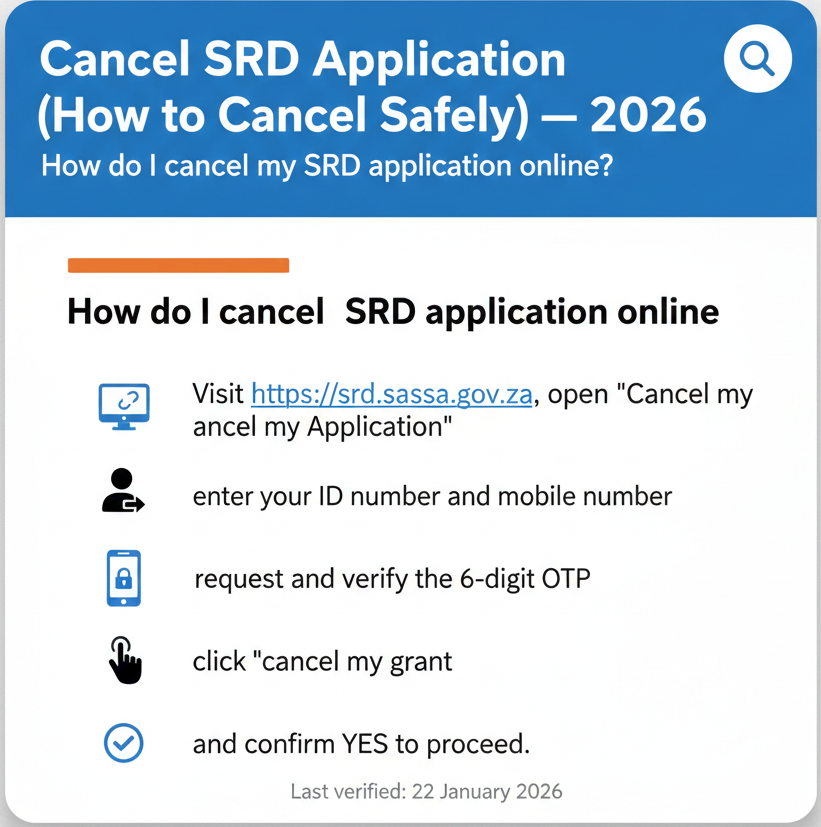
How do I cancel my SRD application online?
Visit https://srd.sassa.gov.za, open “Cancel my Application”, enter your ID number and mobile number, request and verify the 6-digit OTP, then click “cancel my grant” and confirm YES to proceed.
What “Cancel SRD Application” Means (Official Wording)
Understanding what cancellation actually means helps you make the right decision about your SRD application.
The official cancel option exists
The cancellation feature is real and officially documented. According to SASSA guidance: “Under Cancel my Application tab: click here to cancel online”.
This confirms that SASSA provides a self-service online cancellation option. You don’t need to visit an office, call anyone, or pay an agent to cancel your SRD application—you can do it yourself through the official portal.
What you’ll see after cancelling (official status meaning)
Once you cancel, your status will change. The official definition states: “Canceled: The grant is cancelled”.
This is the status term you’ll see when you check your application after completing the cancellation process. It’s straightforward—your grant is no longer active.
What this guide will NOT claim
Transparency about what we don’t know from official sources matters as much as what we do know. No official wording was found for:
- Payment impact after cancellation
- Timelines for processing
- “Must cancel by X date” requirement
- Fees related to cancellation
Where to Cancel (Official Portal Only)
Using the correct portal protects your information and ensures your cancellation is properly processed.
Official cancellation location
The official instruction is clear: “Visit SRD Website: https://srd.sassa.gov.za”.
This is the only verified portal for cancelling your SRD application. Type this URL directly into your browser—don’t click links from emails, WhatsApp messages, or social media posts that claim to take you to the cancellation page.
Safe domains (repeat clearly)
Only these two domains are safe for SRD matters: srd.sassa.gov.za and sassa.gov.za. Any other domain—even if it looks similar, uses “SASSA” in the name, or claims to be official—is not verified. This includes .co.za variations, .com sites, or sites with different endings. Your personal information and ID details should never be entered on unofficial sites.
Step-by-Step (Official Click-by-Click) — Cancel Online Safely
Follow these exact steps from the official SASSA documentation to cancel your application safely:
The official instruction: “Visit SRD Website: https://srd.sassa.gov.za“. Open your browser and type this address directly.
According to official guidance: “Under Cancel my Application tab: click here to cancel online”. Look for this tab on the homepage.
Provide ID and mobile number, then click “send pin”. Enter digits exactly as they appear on your ID document.
The official documentation confirms: “Client will receive a sms with 6 digit OTP number“. This arrives on your mobile number.
Once you receive the code: “Applicant must insert the OTP number and click verify pin“. Enter all six digits carefully.
The next step is to click “cancel my grant”. This initiates the cancellation process.
The official wording: “A message will pop up to ask if applicant is sure about the cancellation of the grant”.
Your final action: “Click YES to continue with the cancellation; Click NO to Discard”.
What You Need to Cancel (Official Requirements)
Having the right information ready makes the cancellation process smooth.
- ID number: Your South African ID number, exactly as it appears on your ID document.
- Mobile number: The mobile number registered with your SRD application. The official process states: “Provide ID number and mobile number, then click send pin”.
- OTP (6-digit): The one-time password sent to your mobile. According to official documentation: “Client will receive a sms with 6 digit OTP number”.
Consent/terms wording specific to cancellation was not found in the official sources reviewed. This doesn’t mean terms don’t exist—just that we can’t quote them from official sources.
What Happens After You Cancel (Verified-Only)
Understanding what to expect after cancellation helps you monitor your status correctly. The most immediate change is your status. The official definition: “Canceled: The grant is cancelled”.
What is not stated officially
Several common questions don’t have official answers in the documentation:
- Payment implications: No official statement found about pending payments or approved amounts.
- Future verification stop: No official confirmation about whether monthly verification automatically stops.
- How long changes take: No official timeline for how quickly the cancellation processes.
Reinstate After Cancelling (Official Option Exists)
Changed your mind after cancelling? There’s an official option to reverse your decision. The official guidance states: “Under Cancel my Application tab: reinstate my cancelled grant application”.
How to approach this:
- Return to https://srd.sassa.gov.za
- Navigate to the “Cancel my Application” tab
- Look for the reinstatement option mentioned in official documentation and follow on-screen prompts
SRD Status Terms You May See
| Status Term | Official Definition | Source |
|---|---|---|
| Canceled | “Canceled: The grant is cancelled.” | SRD Status PDF |
| Pending | “Verification of the application for the period is pending.” | SRD Status PDF |
| Approved (no payment date) | “Approved: The application was approved for the period. If no pay day value is provided, no payment has been processed as yet.” | SRD Status PDF |
| Declined | “The application was declined for the period and the reason is provided.” | SRD Status PDF |
Deadlines and Timing Rules
No official cancellation deadline was found. You can cancel when you need to. The only deadline mentioned in the SRD documentation reviewed relates to appeals: you have “the right to request reconsideration within 30 days of receiving the declined reason”.
Official Contact Channels
082 046 8553
Send message for general inquiries.
0800 60 10 11
Toll-free. Expect wait times.
Grantsenquiries@sassa.gov.za
For written documentation.
Safety Checks (Avoid Scams While Cancelling)
Protecting yourself from scams is crucial. The OTP is part of SASSA’s security system. Never share this 6-digit OTP with anyone. SASSA will never call, WhatsApp, or email asking for it.
False info warning (official)
“I understand and agree that any false and/ or misleading information in the application is punishable by law”.
Misinformation to ignore:
- “Cancel via WhatsApp”: No official WhatsApp cancellation process was found.
- “Cancel via USSD”: No official USSD cancellation code exists in documentation.
- “Pay a fee to cancel”: Cancellation is self-service and free.
FAQs
How do I cancel my SRD application?
Visit https://srd.sassa.gov.za, navigate to “Cancel my Application,” enter your ID and mobile number, verify with the OTP you receive, click “cancel my grant,” and confirm YES. The full step-by-step is in the guide above.
Can I cancel SRD online?
Yes. The official option is: “Under Cancel my Application tab: click here to cancel online”. You don’t need to visit an office or call anyone—it’s a self-service online process.
What do I need to cancel SRD?
You need your ID number, the mobile number registered with your SRD application, and access to receive the 6-digit OTP by SMS. That’s all the official documentation specifies.
What is the OTP and why do I need it?
OTP stands for “one-time password.” According to official guidance: “Client will receive a sms with 6 digit OTP number”. It’s a security measure to verify that the person cancelling the application is actually the applicant. Never share this code with anyone.
What does “Canceled” mean on SRD status?
The official definition is simple: “Canceled: The grant is cancelled”. This status means your SRD application is no longer active.
Can I reinstate after cancelling?
Yes. The official documentation mentions: “Under Cancel my Application tab: reinstate my cancelled grant application”. The reinstatement option is in the same place where you cancelled.
Will I lose payments if I cancel?
This is not stated officially in the reviewed sources. The safest approach: before cancelling, check your pay-day field on the status page to see if you have pending payments. If you’re unsure, contact SASSA through official channels (WhatsApp 082 046 8553, call centre 0800 60 10 11, or email Grantsenquiries@sassa.gov.za) before cancelling.
Can I cancel via WhatsApp?
No. No official WhatsApp cancellation process was found in the research. WhatsApp (082 046 8553) is for inquiries and support, but the actual cancellation must be done through the portal at https://srd.sassa.gov.za.
Is there a fee to cancel SRD?
No official fee instruction was found in the reviewed documentation. The online cancellation process is self-service and free. Anyone asking you to pay to cancel your SRD is running a scam—use only the official portal.
What are the official SRD contact details?
WhatsApp: 082 046 8553; Call centre: 0800 60 10 11; Email: Grantsenquiries@sassa.gov.za; Website: https://srd.sassa.gov.za; Use only these verified channels for assistance with your SRD application.
Cancellation is your right.
Do it safely on official portals.
Refer to facts, not rumors.