SRD Status: Approved — What it means + what happens next
When your SRD status shows “Approved,” it means SASSA has verified your eligibility and accepted your application for the current payment period. This guide explains exactly what happens after approval, what to do if you see “No pay date” or “Bank details pending,” when to recheck your status, and when to escalate using official SASSA channels. All information is sourced from official SASSA domains only.
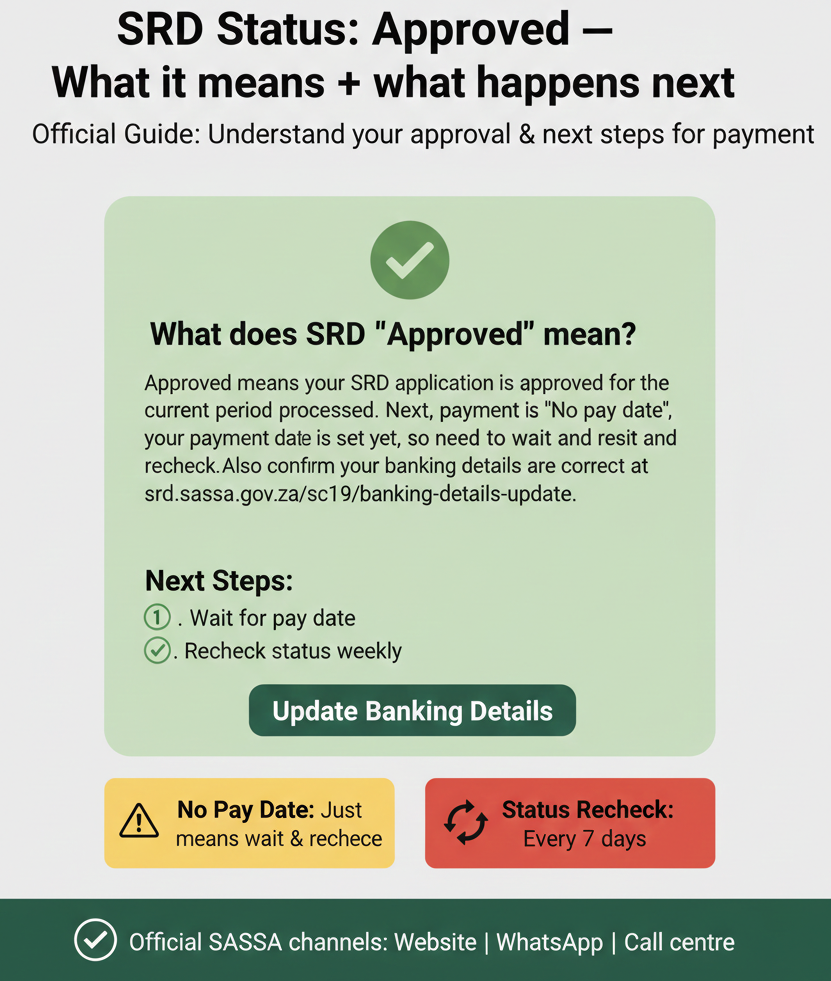
What does SRD “Approved” mean?
Approved means your SRD application is approved for the current period. Next, payment is processed. If you see “No pay date,” your payment date is not set yet, so you need to wait and recheck. Also confirm your banking details are correct at srd.sassa.gov.za/sc19/banking-details-update.
Approved Status Meaning (Official Definition)
What “Approved” means
“Approved” is the official status term shown on the SRD portal when SASSA accepts your application for the current payment cycle. It confirms you meet the eligibility criteria: you are a South African citizen or permanent resident aged 18-60, you are unemployed, and you do not receive any other social grant or government income support. The official definition states: “Approved: Your application is approved for the current period.”
What happens next
After your status shows “Approved,” SASSA begins payment processing. This means your application enters the payment queue, and SASSA will schedule a payment date. Once the payment date is set, it will appear on your status page at srd.sassa.gov.za. Payment is sent to your chosen payment method: bank account, Post Office, or retail collection point (Pick n Pay, Boxer, Shoprite, Checkers).
Where to check status again: Always use the official SRD portal at srd.sassa.gov.za. Enter your 13-digit ID number and 10-digit phone number to check your current status and payment date.
Quick Checklist After You See “Approved”
After your status changes to “Approved,” complete these steps to ensure smooth payment processing:
-
✓
Confirm banking details are correct:
Go to srd.sassa.gov.za/sc19/banking-details-update to verify your bank account number, account holder name, and bank name. If any details are incorrect or outdated, update them immediately.
-
✓
Confirm contact details are correct:
Go to srd.sassa.gov.za/sc19/contact to verify your phone number and residential address. SASSA uses these details to send you SMS notifications and contact you if there are issues.
-
✓
Save only official links and domains:
Bookmark official SASSA domains (srd.sassa.gov.za and sassa.gov.za) and ignore any other websites, apps, or links. Unofficial sites may steal your personal information.
Approved + “No pay date” (Most Common Confusion)
What “No pay date” means
“No pay date” is a sub-status that appears alongside “Approved.” It means your application is approved, but SASSA has not yet scheduled a payment date. This is completely normal at the beginning of a new payment cycle or when SASSA is processing a high volume of payments. Your payment is not cancelled or delayed—SASSA simply has not assigned a date yet.
What to do
Wait for SASSA to set a payment date. Do not submit a new application or contact SASSA immediately—this can cause confusion and delays. Instead, check your status regularly at srd.sassa.gov.za. Once SASSA schedules your payment, the payment date will appear on your status page.
When to recheck
Recheck your status after 5 working days. This is the standard processing window for SASSA to assign payment dates after approval. Check Monday to Friday (excluding public holidays) using the official portal.
When to escalate
If your status still shows “Approved” with “No pay date” after 5 working days, contact SASSA via official channels:
- WhatsApp: 082 046 8553
- Call centre: 0800 60 10 11
- Email: grantenquiries@sassa.gov.za
Approved but Payment Delayed or Missing
What it usually means
If your status shows “Approved” and a payment date has passed but you did not receive payment, there are two common causes:
- Processing delay: SASSA experienced a technical or administrative delay. Payments are usually processed on the scheduled date, but delays can occur during high-volume periods.
- Banking details issue: Your bank account details are incorrect, your account is closed, or your account type does not accept electronic transfers. SASSA cannot process payment if banking details are invalid.
What to do first
Confirm your banking details are correct. Go to srd.sassa.gov.za/sc19/banking-details-update and verify your account number, account holder name, and bank name. If any details are wrong, update them immediately. If you do not have a bank account, switch to an alternative payment method: Post Office or retail collection.
Recheck + escalation threshold: After confirming or updating your banking details, recheck your status after 5 working days. If payment is still missing, escalate to SASSA with your details.
Approved but “Bank details pending”
What “Bank details pending” means
“Bank details pending” is a status that appears when SASSA is waiting for you to provide or confirm your bank account information, or when SASSA is verifying the details you submitted. This status blocks payment processing—SASSA cannot send payment until your banking details are verified and approved.
What to do
Confirm or update your banking details immediately via the official portal. You may be asked to confirm your identity via OTP (one-time PIN sent to your phone). Enter the OTP exactly as received and do not share it with anyone.
When to recheck: Recheck your status after 24 hours (1 business day). SASSA typically verifies banking details within 24-48 hours of submission.
How to Update Banking Details (Official)
The only official page to update your SRD banking details is: srd.sassa.gov.za/sc19/banking-details-update. Do not use any other websites, apps, or third-party services.
What you may need:
- Your 13-digit South African ID number
- Your 10-digit phone number (the number you used when you applied)
- Your bank account number, account holder name, and bank name
How to Update Contact Details (Official)
The only official page to update your SRD contact details (phone number, address) is: srd.sassa.gov.za/sc19/contact. Use this if your number changed, your address changed, or you aren’t receiving SMS notifications.
Official Contact Channels (Only)
If you need help after your status shows “Approved,” use only these official SASSA channels:
- Website: srd.sassa.gov.za – Primary status check method. Works 24/7.
- WhatsApp: 082 046 8553 – Only official number. Response time 1-3 hours during business hours.
- Call centre: 0800 60 10 11 – Toll-free helpline. Call early to avoid wait times.
- Email: grantenquiries@sassa.gov.za – For written follow-ups. Response in 2-5 business days.
Scam Safety (Approved-Status Scams)
Safe domains: Only trust srd.sassa.gov.za and sassa.gov.za. If a website doesn’t end in these domains, close it immediately.
Never share: OTP (one-time PIN), PIN (for collection), or Banking details (account number, card number, CVV) with anyone claiming to “speed up” your payment.
Red flags:
- Anyone promising faster payment timelines (24-48 hours).
- Paid “help” or “application assistance” – SASSA services are 100% free.
- Links to non-official domains.
FAQs
What does SRD “Approved” mean?
“Approved” means your SRD application is accepted for the current payment period. SASSA verified your eligibility and will process your payment. Wait for a payment date to appear on your status page.
Why does SRD say “Approved” but “No pay date”?
“No pay date” means SASSA has not yet scheduled a payment date for your approved application. This is normal at the beginning of a payment cycle. Wait and recheck after 5 working days.
What does “Bank details pending” mean?
“Bank details pending” means your banking details are pending verification or update. SASSA cannot process payment until your banking details are approved. Confirm or update your details at the official portal.
What details should I never share when checking SRD status?
Never share your OTP (one-time PIN), PIN (for Post Office or retail collection), or banking details (account number, card number, CVV) with anyone. SASSA will never ask for these details via call, SMS, or email.
Do Not Trust Timelines
Many unofficial websites claim that SRD payments are processed “within 24 hours” or “within 48 hours” after approval. This is not official SASSA guidance and should not be trusted. SASSA does not guarantee payment timelines. Payment depends on application volume, banking verification, and technical delays.
Official guidance: Recheck payment dates after 5 working days; recheck banking verification after 24 hours; wait 5 working days after a passed payment date before escalating.
Recheck + Escalation Thresholds (Quick Reference)
| Scenario | What to do | Recheck after | Escalate after |
|---|---|---|---|
| Approved but “No pay date” | Wait and recheck | 5 working days | 5 working days (contact SASSA) |
| Approved but payment missing | Confirm banking details | 5 working days | 5 working days (contact SASSA) |
| Approved but “Bank details pending” | Confirm/update banking details | 24 hours | 24 hours (contact SASSA) |
| Updated banking details | Wait for verification | 24 hours | 24 hours (contact SASSA) |
| Updated contact details | Wait for system update | 24 hours | 24 hours (contact SASSA) |
Final Thoughts
Seeing an “Approved” status is the most important milestone in your SRD journey. While the transition from approval to payment can sometimes take a few days, following official procedures and using verified channels is the only way to ensure your funds reach you safely. Stay patient, keep your banking details updated, and never pay for “help” that SASSA provides for free.
Approved is a promise—payment is the process.