SRD Status Meanings Hub: What Each Status Really Means (Official Guide)
Understanding your SRD status is crucial—it tells you whether you’re approved, what’s delaying your application, and what steps to take next. This official guide explains every SRD status term exactly as it appears on the SASSA portal, with verified next steps and direct links to official action pages.
What does my SRD status mean?
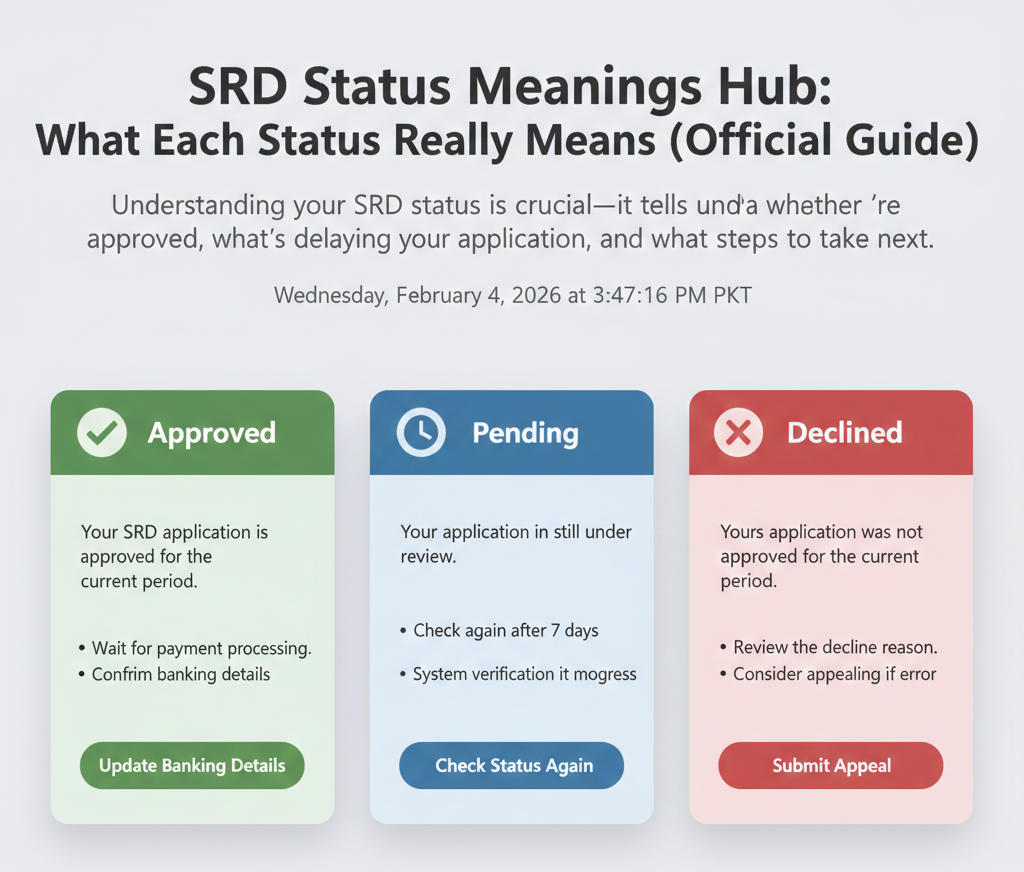
Your SRD application is approved for the current period. Wait for payment processing and confirm your banking details are correct.
Your application is still under review. Check again after 7 days.
Your application was not approved for the current period. Review the decline reason and consider appealing if you believe it’s an error.
Introduction
This page provides official meanings for every SRD status term you might see when checking your application. Each status includes what it means in plain language, what you should do next, when to recheck, and direct links to official SASSA action pages (appeals, banking updates, contact updates). All information is sourced from official SASSA domains: srd.sassa.gov.za and sassa.gov.za.
How to Use This Hub
Step 1: Find Your Current Status
Go to the official SRD status portal at srd.sassa.gov.za. Enter your 13-digit ID number and 10-digit phone number to check your status.
Step 2: Match Your Status Below
Use the exact wording you see on the portal. Find your status in the sections below and read the meaning, next steps, and official links.
Step 3: Do the Next Step (Official Links Only)
Based on your status, you may need to:
- Appeal: Submit an appeal if your application was declined at srd.sassa.gov.za/appeals
- Update banking details: Update your bank account information at srd.sassa.gov.za/sc19/banking-details-update
- Update contact details: Update your phone number or address at srd.sassa.gov.za/sc19/contact
SRD Application Statuses
Approved
Meaning: Your SRD application is approved for the current period. This means SASSA has verified your eligibility and you qualify for the SRD R370 grant for this payment cycle.
What to do next:
- Wait for payment processing. Approved does not mean the payment has been sent yet—SASSA still needs to process the payment.
- Confirm your banking details are correct. Go to the official portal to verify or update your bank account details.
- Check for a payment date. Your status page may show a payment date once SASSA schedules the payment.
When to recheck: If payment is delayed, recheck after a few days. If your status shows “Approved” but you haven’t received payment after 5 working days, contact SASSA via WhatsApp (082 046 8553) or call centre (0800 60 10 11).
Pending
Meaning: Your application is still under review for the current period. SASSA has not yet made a decision on your eligibility. This is common during high-volume periods when SASSA is processing millions of applications.
What to do next:
- Wait for a decision. Do not submit multiple applications—this can delay processing further.
- Recheck your status later. Check again after 7 days to see if your status has changed.
- Ensure your details are correct. If your details changed since you applied, update them at the official portal.
When to recheck: Check again after 7 days. If your status remains “Pending” for more than 4 weeks, contact SASSA for assistance.
Declined
Meaning: Your application was not approved for the current period. SASSA has determined that you do not meet the eligibility criteria for this payment cycle. The decline reason should be shown on the same page as your status.
What to do next:
- Review the decline reason. Check the page for a specific reason (e.g., “Alternative income source identified,” “UIF registered”).
- Appeal if you believe it’s an error. If you believe you were incorrectly declined, submit an appeal at the official appeals portal.
- Gather supporting documents. If you appeal, have supporting documents ready.
When to recheck: After submitting an appeal, recheck your status after about 30 days. SASSA aims to process appeals within 30-60 days.
Identity & Verification Statuses
Identity Verification Failed
Meaning: SASSA could not verify your identity using the details you provided. This happens when your ID number, phone number, or other details do not match records from the Department of Home Affairs (DHA) or other government databases.
What to do next:
- Update your details if changed. If your details changed recently, update them via the contact update portal.
- Visit a SASSA office for biometric verification. Some applicants are required to visit an office in person for fingerprint and facial recognition.
- Bring your original ID document. Bring your South African ID card or book (not a copy).
When to recheck: After updating your details or completing biometric verification, recheck your status after 2-3 days.
Referred
Meaning: Your application has been referred for further verification. This means SASSA flagged your application for additional checks, which may include manual review or cross-checking with other databases.
What to do next:
- Wait for SASSA to contact you. In most cases, SASSA will reach out via SMS or phone call if they need more info.
- Respond to any requests. If SASSA asks for documents, respond quickly to avoid further delays.
- Do not submit a new application. Submitting multiple applications can cause confusion.
When to recheck: Check again after 7 days. If your status remains “Referred” for more than 2 weeks without communication, contact SASSA.
Banking Details Status
Bank details pending
Meaning: Your banking details are pending verification or update. This status appears when SASSA is waiting for you to provide or confirm your bank account information, or when SASSA is verifying the details you submitted.
What to do next:
- Confirm your banking details are correct. Go to the official portal to verify your bank account number and name.
- Update if necessary via the official portal. If details changed, update them immediately. You’ll need your Application ID.
- Choose an alternative payment method. If you don’t have a bank account, you can choose Post Office or retail collection.
When to recheck: After updating your banking details, recheck after 24 hours.
Payment Status
No pay date
Meaning: Your payment date has not been set yet. This status appears when your application is approved, but SASSA has not yet scheduled a payment date. This is common during the beginning of a new payment cycle.
What to do next:
- Wait for SASSA to set a payment date. Your status page will show the date once scheduled.
- Check your status again after a few days. Dates are typically set within a few days of approval.
- Confirm your payment method. Ensure your method is correct at the banking update portal.
When to recheck: Check again after 5 working days. If still showing “No pay date” after 5 working days, contact SASSA.
Appeal Outcomes
Appeal successful
Meaning: Your appeal was successful, and your application has been approved. SASSA reviewed your appeal, accepted your documents, and overturned the original decline decision.
What to do next:
- Wait for payment processing following the normal timeline.
- Confirm banking details if you haven’t already.
- Check for a payment date on your status page.
Appeal unsuccessful
Meaning: Your appeal was unsuccessful, and your application remains declined. SASSA reviewed your appeal but determined that the original decline decision was correct.
What to do next:
- Review the reason for the decline again to understand the rejection.
- Contact SASSA for further assistance or to explain your situation.
- Consider reapplying in the next period if your circumstances change.
Decline Reasons (Official Terms)
When your status shows “Declined,” the portal also shows a decline reason. Here are the official decline reasons, what they mean, and what you can do to fix them.
Alternative income source identified
Meaning: SASSA’s system detected that you are receiving income from another source, making you ineligible for the SRD grant. This could include employment income, business income, pension, or other government benefits.
What you can fix: Review your income sources. Appeal if this is an error. Submit supporting documents like a letter from a former employer confirming you are no longer employed.
Appeal possible: Yes
UIF registered
Meaning: You are registered with the Unemployment Insurance Fund (UIF), which means you are or were recently employed. Being registered with UIF makes you ineligible for the SRD grant, even if you are not currently receiving UIF payments.
What you can fix: Review your UIF status. Appeal if this is an error. Provide a letter from the UIF confirming you are not registered or not receiving benefits.
Appeal possible: Yes
Receiving another grant
Meaning: You are receiving another SASSA grant (e.g., Child Support Grant, Old Age Pension, Disability Grant), which makes you ineligible for the SRD grant. SASSA does not allow beneficiaries to receive both the SRD grant and another social grant at the same time.
What you can fix: Review your grant status. Appeal if this is an error. Provide a SASSA statement showing you are not receiving any other grants.
Appeal possible: Yes
Confusing Status Pairs (Clarify Fast)
Some SRD statuses look similar but mean different things. Here’s how to tell them apart.
Approved vs No pay date
Approved means your application is accepted for the current period. You qualify for the SRD grant and will receive payment.
No pay date is a sub-status that appears with “Approved.” It means your application is approved, but SASSA has not yet scheduled a payment date. This is normal at the beginning of a payment cycle. Your payment date will appear on your status page once SASSA schedules it.
Pending vs Referred
Pending means your application is still under review. SASSA is processing your application and has not yet made a decision on your eligibility.
Referred means additional verification is required. SASSA flagged your application for further checks, which may include manual review or contacting you for more information. “Referred” typically takes longer than “Pending” because it requires extra steps.
Official Actions (Links Hub)
Here are the official SASSA links you need for common SRD actions:
- Status Portal srd.sassa.gov.za
- Appeals Portal srd.sassa.gov.za/appeals
- Contact Updates srd.sassa.gov.za/sc19/contact
- Banking Updates srd.sassa.gov.za/sc19/banking-details-update
Bookmark these links for quick access. Do not use any other websites or apps claiming to offer SRD status checks or updates—they are not official and may be scams.
Official Contact Channels
If you need personalized help or your status is unclear, contact SASSA via these official channels:
- Website: srd.sassa.gov.za – Primary status check method. Works 24/7.
- WhatsApp: 082 046 8553 – Message your ID number to check your status or get help. This is the only official SASSA WhatsApp number for SRD.
- Call centre: 0800 60 10 11 – Toll-free helpline for SRD enquiries. Call Monday to Friday, 8 AM to 4 PM. Wait times can be long during payment weeks.
- Email: grantenquiries@sassa.gov.za – For written enquiries or follow-ups. Include your ID number and a clear description of your issue. Response time is typically 2-5 business days.
Avoid Scams & Unofficial Status Terms
Only Trust These Domains
Only use these official SASSA domains for SRD information:
- srd.sassa.gov.za – Official SRD status portal
- sassa.gov.za – Official SASSA website
If a website doesn’t end in these domains, do not enter your personal information. Close it immediately.
Do Not Publish These as “Official Statuses” (Unverified)
The following status terms appear on unofficial websites but are NOT listed on official SASSA sources. Do not trust them:
- Payment failed
- Application incomplete
- Processing error
- Bank details rejected (SASSA uses “Bank details pending”)
- Appeal pending (SASSA uses “Appeal successful” or “Appeal unsuccessful”)
Warning: These terms are used on unofficial sites to describe SRD issues, but SASSA does not use them. If you see these terms, you are likely on an unofficial or fake website.
FAQs
What does Approved mean for SRD?
Approved means your SRD application is accepted for the current period. Wait for payment processing and confirm your banking details are correct.
What does Pending mean for SRD?
Pending means your application is still under review. Check again after 7 days.
What does Declined mean for SRD?
Declined means your application was not approved. Review the decline reason and consider appealing if you believe it’s an error.
What does Identity Verification Failed mean for SRD?
Identity Verification Failed means SASSA could not verify your identity. Update your details if changed or visit a SASSA office for biometric verification.
What does Referred mean for SRD?
Referred means your application requires additional verification. Wait for SASSA to contact you and respond to any requests.
What does Bank details pending mean for SRD?
Bank details pending means your banking details are pending verification or update. Confirm your details or update them via the official portal.
What does No pay date mean for SRD?
No pay date means your payment date has not been set yet. Check again after 5 working days.
What should I do if SRD says Approved?
Wait for payment processing and confirm your banking details are correct. Check for a payment date on your status page.
What should I do if SRD says Pending?
Wait for a decision and recheck after 7 days. Ensure your details are correct.
What should I do if SRD says Declined?
Review the decline reason and consider appealing if you believe it’s an error. Submit an appeal at srd.sassa.gov.za/appeals.
What should I do if SRD says Identity Verification Failed?
Update your details if changed or visit a SASSA office for biometric verification. Recheck after 2-3 days.
What should I do if SRD says Referred?
Wait for SASSA to contact you and respond to any requests for information. Check again after 7 days.
What should I do if SRD says Bank details pending?
Confirm your banking details are correct or update them via the official portal. Recheck after 24 hours.
What should I do if SRD says No pay date?
Wait for SASSA to set a payment date. Check again after 5 working days.
Final Thoughts
Knowledge is power when it comes to navigating the SRD grant system. By understanding exactly what your status means and taking the recommended official actions, you can reduce frustration and ensure your application is handled correctly. Always remember to check your status weekly and only use official SASSA platforms to protect your information.
Stay informed, stay secure.