SRD Status Check via WhatsApp: Official Steps (082 046 8553)
Checking your SRD status via WhatsApp is quick and convenient, especially if you don’t have reliable internet access or prefer messaging over browsing websites. SASSA operates an official WhatsApp channel specifically for SRD support, and this guide shows you exactly how to use it safely and effectively.
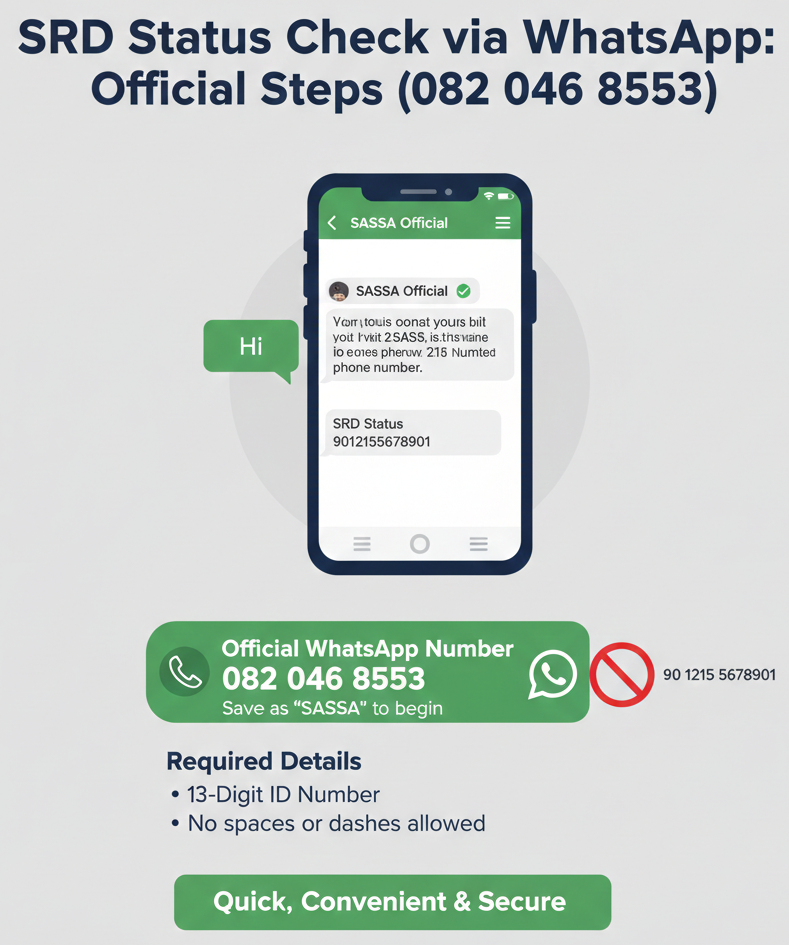
Official WhatsApp Number
082 046 8553
Save as “SASSA” to begin.
Required Details
13-Digit ID Number
No spaces or dashes allowed.
How do I check my SRD status on WhatsApp?
-
1
Save 082 046 8553 as “SASSA.” This is the only official SASSA WhatsApp number for SRD support. Add it to your contacts to avoid confusion later.
-
2
Open WhatsApp and message the number. Start with “status” or “Hi” to trigger the automated menu or prompts.
-
3
Follow prompts and provide details requested. The system will usually ask for your 13-digit ID number. In some cases, it may also ask for your phone number or application reference number.
-
4
Read your result and follow the next-step guidance below. You’ll receive a reply indicating whether your status is Approved, Pending, Declined, or requires verification. Each status has specific next steps.
Confirm You’re Using the Official WhatsApp Channel
Before you send any personal information, confirm you’re messaging the real SASSA WhatsApp channel. Scammers often create fake numbers that look similar to official ones.
Official WhatsApp Number (Verified)
082 046 8553 is the only official SASSA WhatsApp number for SRD support. This number is published on the official SASSA website (sassa.gov.za) and the official SRD portal (srd.sassa.gov.za).
How to verify: Go to www.sassa.gov.za and check the contact page. The WhatsApp number listed there is the official one. If a number is not listed on the official website, do not trust it.
Do not use any other WhatsApp number for SRD support. If you see a different number on social media, messaging apps, or third-party websites, do not trust it unless you can verify it on the official SASSA website.
Quick Checks to Avoid Scams
Verify official domains for SRD: Only trust information from srd.sassa.gov.za and sassa.gov.za. If someone sends you a link that doesn’t end in these domains, do not click it.
Red flags that indicate a scam:
- Asks for your OTP or PIN in the chat. Official SASSA systems send OTPs and PINs to your phone for you to enter on the official portal. SASSA staff will never ask you to share your OTP or PIN via WhatsApp, SMS, or phone call.
- Asks for banking details in the chat. Official banking updates must be done via the official SRD website (srd.sassa.gov.za/sc19/contact). SASSA will never ask you to send your bank account number, card details, or PIN via WhatsApp.
- Sends links to non-official domains. If the WhatsApp message includes a link like “sassacheck.com” or “srd-status.co.za,” it’s a scam. Official links only go to sassa.gov.za or srd.sassa.gov.za.
- Asks for upfront payment or “processing fees.” SASSA services are free. No one should ask you to pay to check your status or receive your grant.
If you suspect a scam:
Stop replying immediately. Do not click any links. Block the number and report it to SASSA via the official call centre (0800 60 10 11) or email (grantenquiries@sassa.gov.za).
What You Need Before You Message
Before you message the official WhatsApp number, make sure you have the required information ready. This speeds up the process and reduces errors.
Required
13-digit South African ID number. This is the primary identifier used across all SRD processes. Your ID number must match the one you used when you applied for the SRD grant. Do not add spaces, dashes, or any other characters—just the 13 digits as shown on your ID card.
For example, if your ID number is 8001015009086, enter it exactly like that: 8001015009086.
May Be Requested During Prompts
Phone number used in your SRD application. The WhatsApp system may ask you to confirm your phone number. This must be the 10-digit number you used when you applied for the SRD grant. Format: 0821234567 (no spaces, no dashes, starting with 0).
Reference or application details. In some cases, the system may ask for your 6-digit Application ID (AppID). This is the reference number you received when you first applied or reapplied for SRD. If you don’t have it, you can usually proceed with just your ID number, but it’s helpful to have it ready.
Why these details matter: The system uses your ID number and phone number to look up your SRD application in the database. If you enter incorrect information, the system won’t be able to find your application, and you’ll receive an error message or no reply.
Step-by-Step: SRD Status Check on WhatsApp
Follow these steps to check your SRD status via the official WhatsApp channel.
Start the Chat
- Save 082 046 8553 as a contact. Open your phone’s contacts app, create a new contact, and save the number as “SASSA” or “SASSA SRD Support.” This makes it easier to find the number later and confirms you’re using the correct one.
- Open WhatsApp. Go to your WhatsApp app and open a new chat.
- Message the number. Tap “New Chat” (or the chat icon), find “SASSA” in your contacts, and open the chat.
- Send “status” or “Hi” to trigger the menu. The WhatsApp system is automated. When you send your first message, the bot will reply with a menu or prompt asking what you need. Common trigger words are “status,” “Hi,” or “help.” The system will guide you from there.
Follow Prompts and Submit Your Details
- Read the prompts carefully. The bot will tell you what information it needs. Usually, it starts by asking for your ID number.
- Provide your ID number when requested. Type your 13-digit ID number exactly as shown on your ID card. Do not add spaces, dashes, or any other characters. Example: 8001015009086.
- If the bot asks for additional info, enter it exactly as requested. Some flows may ask for your phone number, Application ID, or other details. Enter each piece of information carefully.
- Wait for the reply. After you submit your details, the bot will process your request and send you a reply with your SRD status. This usually takes a few seconds to a few minutes, depending on system load.
Common mistakes to avoid:
- Typing your ID number incorrectly. Double-check each digit before you send it.
- Using a different phone number than the one on your application. If the system asks for your phone number, use the same number you used when you applied.
- Sending multiple messages at once. Be patient and wait for the bot to respond to each message before sending the next one.
Read Your SRD Result
Once the system processes your request, you’ll receive a reply with your SRD status and any relevant notes. The reply will usually include:
- Your status: Approved, Pending, Declined, Identity Verification Failed, or another status message.
- Any notes or next steps: For example, if your status is Approved, the message might include your payment date. If your status is Declined, it might include the reason for the decline.
Keep this reply for your records. If you need to follow up with SASSA, having the exact status message will help them assist you faster.
What Your WhatsApp Reply Means (And What to Do Next)
Different status messages require different actions. Here’s what each status means and what you should do next.
Approved
What it means: Your SRD application is approved for the current period. This means you’ve passed all eligibility and verification checks, and your grant is being processed for payment.
What to do next: Wait for payment processing. Check your payment method details. Watch for payment notifications.
When to escalate: If your status shows Approved but you haven’t received payment after 5 working days, contact SASSA.
Pending
What it means: Your application is still under review for the current period. SASSA is processing your application and running eligibility and verification checks. This does not mean your application is rejected—it just means a decision hasn’t been made yet.
What to do next: Recheck later. Avoid repeated submissions. Ensure your details are correct.
When to escalate: If your status remains Pending for more than 4 weeks without explanation, call 0800 60 10 11.
Declined
What it means: Your application was not approved for the current period. This can happen for several reasons, such as not meeting eligibility criteria, income exceeding the threshold, or failing verification checks.
What to do next: Review the reason for the decline. Confirm your eligibility. Use the official appeal process.
When to escalate: If your appeal is not processed after 90 days, contact SASSA.
Identity Verification Failed
What it means: SASSA could not verify your identity using the details you provided. This usually happens when your ID number or phone number does not match the records from the Department of Home Affairs (DHA), or when there are discrepancies in your application details.
What to do next: Confirm your ID number and phone number are correct. Update your details if they changed. Visit a SASSA office for biometric verification.
Common Problems and Fixes
Even if you follow all the steps correctly, problems can still happen. Here’s how to troubleshoot the most common WhatsApp status check issues.
No Reply on WhatsApp
Symptoms: You sent your ID number to 082 046 8553, but you didn’t receive any reply.
Likely causes: High message volume, temporary system delays, or WhatsApp not working properly.
Fix steps: Wait and retry later (10-15 mins), check your WhatsApp connection, restart WhatsApp, or use the website if no response after 24 hours.
Bot Says Details Don’t Match
Symptoms: You sent your ID number, but the bot replied with an error like “Details not found” or “No application on record.”
Likely causes: ID number entered incorrectly, phone number doesn’t match, or you haven’t applied yet.
Fix steps: Re-enter your ID number carefully, ensure you’re using the same phone number you applied with, or confirm you applied for SRD.
You Suspect a Scam Number/Message
Symptoms: You received a WhatsApp message from a number claiming to be SASSA, but you’re not sure if it’s real.
What to do: Stop replying immediately. Don’t click any links. Verify the number (must be 082 046 8553). Block and report the number. Use only official channels.
Red flags: Any message that asks for your OTP, PIN, banking details, or upfront payment is a scam. SASSA will never ask for these via WhatsApp.
If WhatsApp Doesn’t Work: Official Fallback Channels
If you can’t get a reply on WhatsApp or prefer another method, use these official channels to check your SRD status.
Website
srd.sassa.gov.za is the primary official method for checking your SRD status. Go to the website, enter your 13-digit ID number and 10-digit phone number, and click “Check Status.” This method is the most reliable and doesn’t depend on message queues or system load.
When to use it: If WhatsApp doesn’t reply after 24 hours, or if you prefer to see your status on a full screen with more details.
Call Centre
0800 60 10 11 is SASSA’s toll-free helpline for SRD enquiries. Call during office hours (Monday to Friday, 8 AM to 4 PM) to speak to a representative. They can check your status for you and answer questions.
When to use it: If the website and WhatsApp are not working, or if you need help understanding your status or what to do next.
Note: Wait times can be long during payment weeks, so be patient.
grantenquiries@sassa.gov.za is the official email address for written enquiries. Send an email with your ID number and a clear description of your issue. You should receive a response within a few business days.
When to use it: If you need a written record of your enquiry, or if you’re following up on a previous issue that hasn’t been resolved.
When to escalate:
Escalate to the call centre or email if your status is stuck on Pending for more than 4 weeks, your status shows Approved but you haven’t received payment after 5 working days, or you’ve tried all troubleshooting steps and still can’t check your status.
FAQs
What is the official SASSA WhatsApp number for SRD?
The official SASSA WhatsApp number for SRD is 082 046 8553. This is the only verified number published on sassa.gov.za. Do not trust any other WhatsApp number claiming to be SASSA.
What message do I send to check SRD status on WhatsApp?
Send “status” or “Hi” to 082 046 8553 to start the automated menu. The bot will reply with prompts asking for your ID number and other details.
What details do I need to check my status on WhatsApp?
You need your 13-digit South African ID number. The system may also ask for your 10-digit phone number or 6-digit Application ID.
Why does my status say Pending?
Pending means your application is still under review. SASSA is processing your application and running eligibility checks. Recheck after 7 days. Avoid submitting multiple applications while it’s Pending.
Why was my SRD application Declined?
Declines happen when you don’t meet eligibility criteria (e.g., income above threshold, receiving another grant, or UIF detected). Review the reason in your status result and appeal via srd.sassa.gov.za/appeals if you believe it’s an error.
What does Identity Verification Failed mean?
This means SASSA couldn’t verify your identity using the details you provided. Confirm your ID and phone number are correct, update them if needed, and visit a SASSA office for biometric verification if required.
I got no reply on WhatsApp—what now?
Wait a few hours and retry. If no reply after 24 hours, use the website (srd.sassa.gov.za) or call 0800 60 10 11.
Can SASSA ask me for my OTP or PIN on WhatsApp?
No. SASSA will never ask you to share your OTP, PIN, or banking details via WhatsApp. If someone asks for this, it’s a scam. Block and report the number.
How do I avoid fake WhatsApp numbers?
Only use the official SASSA WhatsApp number (082 046 8553) published on sassa.gov.za. Do not trust numbers shared on social media or third-party websites unless you can verify them on the official site.
What’s the fastest backup method if WhatsApp doesn’t work?
Use the website (srd.sassa.gov.za). It’s the fastest and most reliable method. Enter your ID and phone number to check your status instantly.
Can I check someone else’s SRD status on WhatsApp?
No. You can only check your own status using your own ID number. SASSA does not allow third parties to check status on behalf of beneficiaries without official authorization.
How often should I check my SRD status on WhatsApp?
Check once per week if your status is Pending. If your status is Approved, check again if you haven’t received payment after a few days. Avoid checking multiple times per day, as this doesn’t speed up processing.
Final Thoughts
Checking your SRD status via WhatsApp is a modern and efficient way to stay updated on your grant application. By sticking to the official number, keeping your details ready, and knowing how to handle different status outcomes, you can navigate the process with confidence. Remember to stay vigilant against scams and use fallback channels when needed.
Stay connected and stay safe.