SRD Status: Self-Exclusion — Meaning + Fix Path
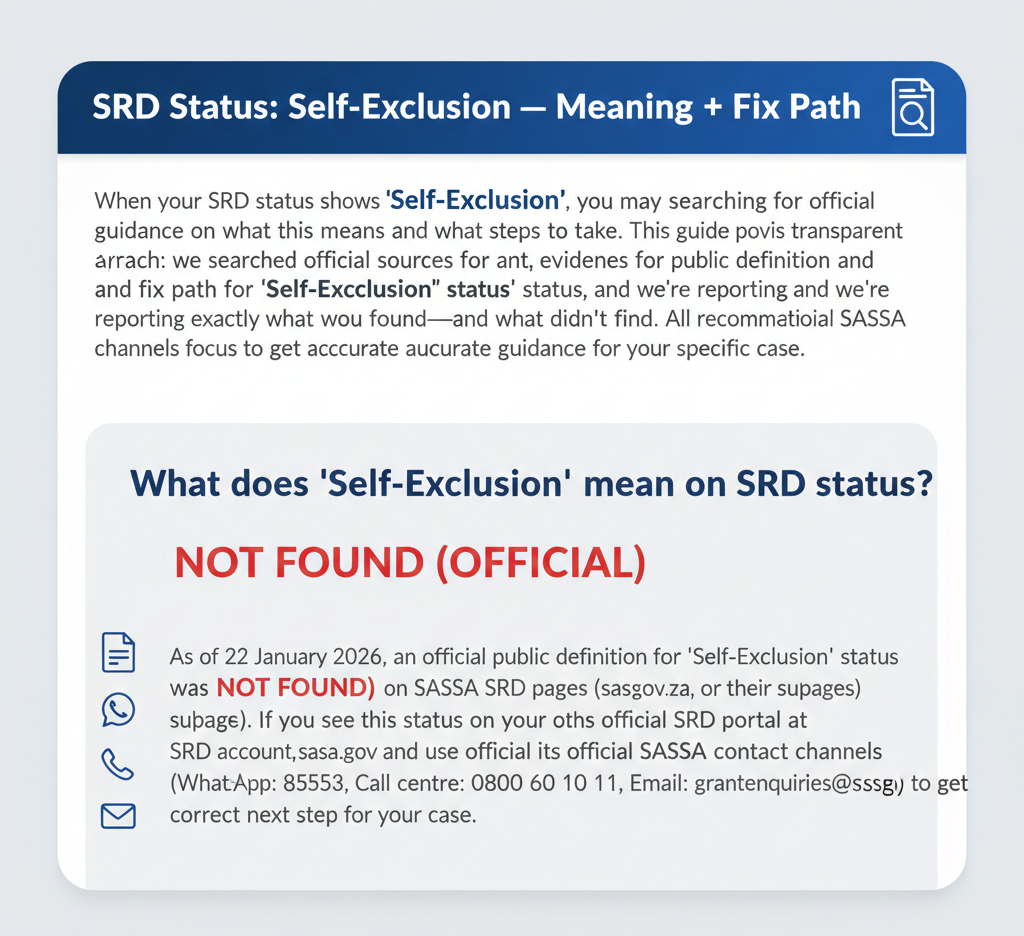
When your SRD status shows “Self-Exclusion,” you may be searching for official guidance on what this means and what steps to take. This guide provides a transparent, evidence-based approach: we searched official SASSA sources for a public definition and fix path for “Self-Exclusion” status, and we’re reporting exactly what we found—and what we didn’t find. All recommendations focus on using official SASSA channels to get accurate guidance for your specific case.
What does “Self-Exclusion” mean on SRD status?
As of 22 January 2026, an official public definition for “Self-Exclusion” status was NOT FOUND (OFFICIAL) on SASSA SRD pages (srd.sassa.gov.za, sassa.gov.za, or their subpages). If you see this status on your SRD account, confirm it on the official SRD portal at srd.sassa.gov.za and use official SASSA contact channels (WhatsApp: 082 046 8553, Call centre: 0800 60 10 11, Email: grantenquiries@sassa.gov.za) to get the correct next step for your case.
What We Can Confirm (Official)
Official SRD portals you should use
These are the only official SASSA portals for SRD services. Do not use third-party “status check” websites or apps.
-
SRD status portal: srd.sassa.gov.za
Check your current SRD status, payment dates, and any messages from SASSA. Enter your 13-digit ID number and 10-digit phone number. This portal works 24/7 and does not require registration.
-
Update contact details: srd.sassa.gov.za/sc19/contact
Update your phone number or address if your information changed since you applied. Use this portal only if your details actually changed—do not update “just to try” as this can cause delays.
-
Update banking details: srd.sassa.gov.za/sc19/banking-details-update
Update your bank account information or switch to an alternative payment method (Post Office or retail collection). Use this portal if your banking details changed or were entered incorrectly.
-
Appeals portal: srd.sassa.gov.za/appeals
This portal exists for submitting appeals on declined SRD applications. However, appeal applicability to “Self-Exclusion” status is NOT FOUND (OFFICIAL)—meaning we could not find official guidance stating whether appeals apply to this status. Use the appeals portal only if your SRD account specifically provides an option to appeal for your status and period.
Official SASSA contact channels
If you need help understanding your “Self-Exclusion” status or what action to take, use only these official channels:
- WhatsApp: 082 046 8553
Official SASSA WhatsApp number for SRD help. Message your ID number and ask: “My SRD status shows Self-Exclusion. What action is required for my case?” Response time is typically 1–3 hours during business hours (Monday to Friday, 8 AM to 4 PM). - Call centre: 0800 60 10 11
Toll-free helpline for SRD enquiries. Call Monday to Friday, 8 AM to 4 PM. Explain that your status shows “Self-Exclusion” and ask what steps you should take. Wait times can be long during payment weeks, so try calling early in the morning or use WhatsApp first. - Email: grantenquiries@sassa.gov.za
For written enquiries. Include your ID number and a clear description: “My SRD status shows Self-Exclusion for [month/period]. Please advise what action is required.” Response time is typically 2–5 business days.
Self-Exclusion Status Meaning (Official Check Result)
Official meaning
Official Result:
NOT FOUND (OFFICIAL)
We conducted a comprehensive search of official SASSA sources (srd.sassa.gov.za, www.sassa.gov.za, and all publicly accessible SRD portal pages) on 22 January 2026. No official public definition, explanation, or guidance for “Self-Exclusion” status was found on these sources.
This does not mean the status doesn’t exist—it means SASSA has not published a public definition or fix path on their official websites as of this verification date.
Why this matters
Many third-party websites publish explanations, timelines (e.g., “resolved in 24–48 hours”), and “fixes” for “Self-Exclusion” status without providing official SASSA sources to back up their claims. These sites may be:
- Guessing based on the name of the status
- Copying information from other unofficial sites
- Providing outdated or incorrect information
- Deliberately creating content to attract visitors without verifying accuracy
This guide takes a different approach: We only publish what SASSA officially supports. When official information is not available, we clearly state “NOT FOUND (OFFICIAL)” and direct you to official SASSA channels where you can get accurate, case-specific guidance.
Your situation may be unique, and SASSA staff can access your account details to provide personalized instructions. This is safer and more reliable than following generic advice from unofficial sources.
What To Do If You See “Self-Exclusion” (Safe Fix Path)
Step 1: Verify on the official SRD portal
Before taking any action, confirm your status on the official portal:
- Go to srd.sassa.gov.za
- Enter your 13-digit ID number
- Enter your 10-digit phone number
- Click “Check Status”
- Look at the status shown for your current month/period
- Note the exact wording (e.g., “Self-Exclusion,” “Self Exclusion,” “Self-Exclusion Response Found,” or similar)
Take a screenshot if possible, or write down the exact text shown. This will help when you contact SASSA for guidance.
Step 2: Use official contact channels for the correct instruction
Because no official public guidance exists for “Self-Exclusion” status, the safest approach is to contact SASSA directly and ask what action is required for your specific case.
Recommended approach:
Contact SASSA via WhatsApp (082 046 8553), call centre (0800 60 10 11), or email (grantenquiries@sassa.gov.za) and provide:
- Your 13-digit ID number
- The exact status text shown on your portal (e.g., “Self-Exclusion”)
- The month/period for which this status appears
- Any additional messages or instructions shown on your status page
What to ask: “My SRD status shows [exact status text] for [month/period]. What action is required from me to resolve this?”
SASSA staff can access your account and provide case-specific instructions. This is more reliable than following generic advice from unofficial websites.
Step 3: Only update details if they changed
If your personal information changed since you applied, or if you believe you entered incorrect details during your application, update your information:
Update contact details: srd.sassa.gov.za/sc19/contact
Update your phone number or address if they changed. Enter your ID number and follow the prompts.
Update banking details: srd.sassa.gov.za/sc19/banking-details-update
Update your bank account information if it changed or was entered incorrectly.
Important: We cannot confirm that updating details “fixes” Self-Exclusion status because official guidance linking these actions to Self-Exclusion is NOT FOUND (OFFICIAL). Only update your details if they actually changed or were incorrect. Do not update multiple times or “just in case”—this can create confusion in SASSA’s system.
Step 4: Appeals / reconsideration (conditional language only)
An appeals portal exists at srd.sassa.gov.za/appeals, but appeal eligibility for “Self-Exclusion” status is NOT FOUND (OFFICIAL)—meaning we could not find official guidance stating whether you can appeal this status.
Safe approach: Use the appeals portal only if:
- Your SRD portal specifically provides an appeal option for your status and period
- SASSA staff instructed you to submit an appeal when you contacted them
- Your status changed to “Declined” (declined applications can be appealed if you believe the decline reason is incorrect)
Do not assume you can or should appeal “Self-Exclusion” status without confirmation from SASSA or your portal. Appeals are typically for declined applications where you believe the decline reason is incorrect—”Self-Exclusion” may require a different process.
Step 5: Recheck guidance (Official Check Result)
Recheck timeline for Self-Exclusion: NOT FOUND (OFFICIAL)
We could not find official guidance stating how long to wait before rechecking your status after seeing “Self-Exclusion,” or how long this status typically lasts.
Safe fallback: Recheck your status periodically on the official portal at srd.sassa.gov.za. A reasonable approach is to check:
- After 2–3 days if you updated your details or followed SASSA’s instructions
- Once per week if you’re waiting for SASSA to process your case
- After receiving any communication from SASSA (SMS, email, letter)
Do not check multiple times per day—this will not speed up processing and may create unnecessary system load.
Avoid Misinformation (What NOT to trust)
Many unofficial websites make claims about “Self-Exclusion” status that we could not verify on official SASSA sources. Here are common myths:
Myth 1: “Resolved in 24–48 hours”
Claim: Some sites state Self-Exclusion is resolved within 24–48 hours.
Verification result: NOT FOUND (OFFICIAL)
We could not find any official SASSA source stating a 24–48 hour timeline for Self-Exclusion. Do not expect resolution within a specific timeframe based on unofficial claims. Contact SASSA for case-specific guidance.
Myth 2: “Biometrics required”
Claim: Some sites state you must complete biometric verification (fingerprints, facial recognition) at a SASSA office to resolve Self-Exclusion.
Verification result: NOT FOUND (OFFICIAL)
We could not find any official SASSA source stating biometrics are required for Self-Exclusion status. While SASSA offices may use biometric systems for various purposes, there is no official statement requiring biometrics for this specific status.
Myth 3: “Appeal within 24 hours”
Claim: Some sites state you must appeal or take action within 24 hours of seeing Self-Exclusion status.
Verification result: NOT FOUND (OFFICIAL)
We could not find any official SASSA source stating a 24-hour deadline for Self-Exclusion. Do not panic or rush based on unofficial deadlines. Contact SASSA for accurate guidance on your timeline.
How to protect yourself:
- Trust only information from srd.sassa.gov.za and sassa.gov.za
- When in doubt, contact SASSA directly using official channels
- Do not pay for “fast resolution services” or “guaranteed fixes”—SASSA does not charge for status help
- Be skeptical of sites promising specific timelines, procedures, or outcomes without official sources
Self-Exclusion vs Other SRD Statuses
Understanding other SRD statuses (from official sources) can help you know what to expect if your status changes. However, official comparisons between “Self-Exclusion” and other statuses are NOT FOUND (OFFICIAL).
Approved
Official definition: “Approved: Your application is approved for the current period.” (Source: srd.sassa.gov.za, 2026)
If your status is “Approved,” your application was approved and payment processing will begin. Confirm your banking details are correct.
Pending
Official definition: “Pending: Your application is still under review.” (Source: srd.sassa.gov.za, 2026)
If your status is “Pending,” SASSA is processing your application and verifying your eligibility. Wait for the review to complete. Recheck after 7 days.
Referred
Official definition: “Referred: Your application is referred for further verification.” (Source: srd.sassa.gov.za, 2026)
If your status is “Referred,” your application needs additional verification. Wait for SASSA to contact you if they need information. Recheck after 7 days.
Declined
Official definition: “Declined: Your application was not approved.” (Source: srd.sassa.gov.za, 2026)
If your status is “Declined,” your application was not approved. Review the decline reason and consider appealing if you believe it’s incorrect at srd.sassa.gov.za/appeals.
Note: We could not find official comparisons explaining how “Self-Exclusion” differs from these statuses (NOT FOUND (OFFICIAL)). If you need clarification on your specific status, contact SASSA directly.
Official Links (Quick Access)
Use only these official SASSA portals and contact channels:
Contact SASSA Directly:
- WhatsApp: 082 046 8553
- Call centre: 0800 60 10 11
- Email: grantenquiries@sassa.gov.za
Scam Safety
Safe domains
Only trust these official SASSA domains:
- srd.sassa.gov.za – Official SRD status portal and update pages
- sassa.gov.za – Official SASSA website
If a website doesn’t end in these exact domains, close it immediately. Do not enter your ID number, phone number, or any personal information on unofficial sites.
Do not share
Never share these details with anyone, including people claiming to be from SASSA or offering to “help” with your Self-Exclusion status:
- OTP (one-time PIN): The OTP sent to your phone is for your use only. SASSA will never ask for your OTP via phone call, SMS, or email.
- PIN: If you use Post Office or retail collection, your payment PIN is private. Do not share it with anyone.
- Banking details: Do not share your bank account number, card number, CVV, or online banking passwords with anyone.
FAQs
What does SRD Self-Exclusion mean?
As of 22 January 2026, an official public definition for “Self-Exclusion” status was NOT FOUND (OFFICIAL) on SASSA SRD pages. If you see this status, confirm it on the official SRD portal at srd.sassa.gov.za and contact SASSA via WhatsApp (082 046 8553), call centre (0800 60 10 11), or email (grantenquiries@sassa.gov.za) to ask what action is required for your specific case.
What should I do if SRD says Self-Exclusion?
If your SRD status shows “Self-Exclusion,” follow these steps: (1) Verify the exact status text on the official portal at srd.sassa.gov.za. (2) Contact SASSA via WhatsApp (082 046 8553), call centre (0800 60 10 11), or email (grantenquiries@sassa.gov.za) and ask: “My SRD status shows Self-Exclusion for [month/period]. What action is required from me?” (3) Only update your details if they actually changed. (4) Follow SASSA’s instructions for your specific case.
How long does SRD Self-Exclusion take?
An official timeline for Self-Exclusion status was NOT FOUND (OFFICIAL) on SASSA sources as of 22 January 2026. Do not trust unofficial sites claiming “24–48 hours” or other specific timelines. Contact SASSA directly to ask about the expected timeline for your case.
When should I recheck after Self-Exclusion?
Official recheck guidance for Self-Exclusion was NOT FOUND (OFFICIAL) as of 22 January 2026. A safe approach is to recheck after 2–3 days if you updated your details or followed SASSA’s instructions, or once per week if you’re waiting for SASSA to process your case.
What is the official WhatsApp number for SRD help?
The official SASSA WhatsApp number for SRD help is 082 046 8553. This is the only official WhatsApp number. Do not trust any other WhatsApp numbers claiming to be SASSA. Message your ID number and describe your Self-Exclusion status to get help from official SASSA staff.
What details should I never share when checking SRD status?
Never share your OTP (one-time PIN), PIN (for Post Office or retail collection), or banking details (account number, card number, CVV) with anyone. SASSA will never ask for these details via phone call, SMS, WhatsApp, or email. The official SASSA portal only requires your ID number and phone number to check your status—nothing else.
Final Thoughts
Navigating an unofficial or undocumented status like “Self-Exclusion” requires a cautious, facts-only approach. While the term itself suggests a user-initiated block, the lack of official public documentation means the only way to resolve it safely is through direct, verified SASSA communication. Do not be misled by unofficial timelines or fixes found on social media; your financial security depends on using official government channels.
Verify via official channels—stay safe.