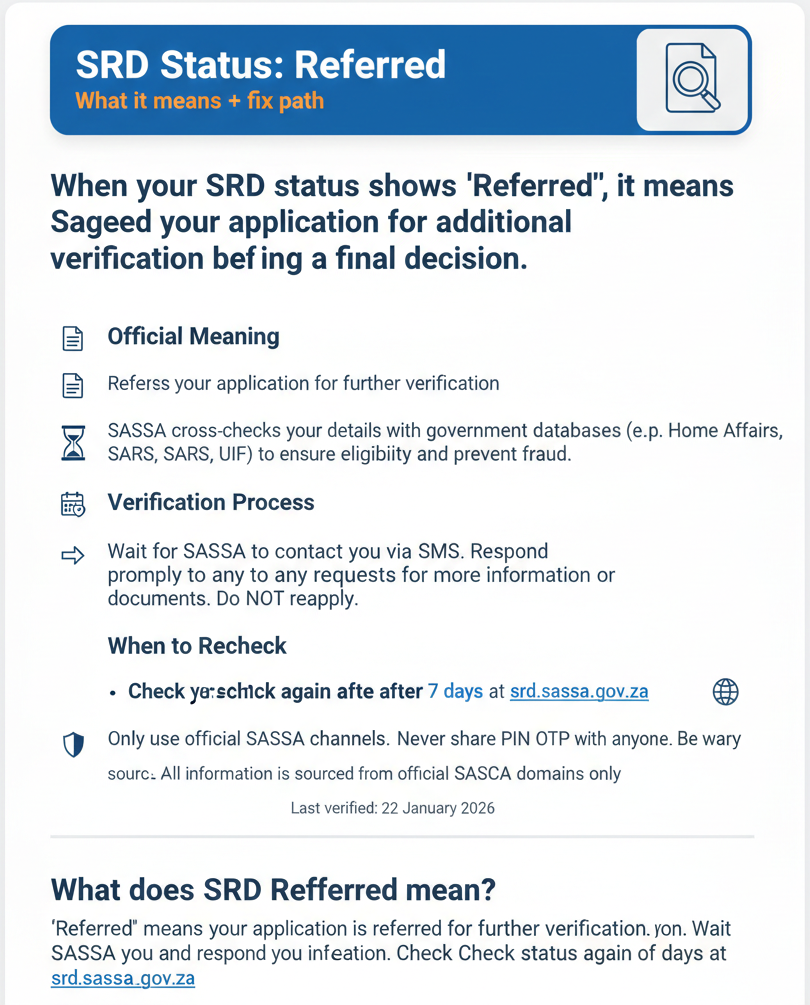
SRD Status: Referred — What it means + fix path
When your SRD status shows “Referred,” it means SASSA has flagged your application for additional verification before making a final decision. This guide explains the official meaning of “Referred,” what happens during the verification process, what you should do next, when to recheck your status, and how to protect yourself from scams. All information is sourced from official SASSA domains only.
What does SRD Referred mean?
“Referred” means your application is referred for further verification. Wait for SASSA to contact you and respond to any requests for more information. Check your status again after 7 days at srd.sassa.gov.za.
Referred Status Meaning
Exact official definition (quote + source)
The official definition from the SRD Status Portal states:
“Referred: Your application is referred for further verification.”
Source: srd.sassa.gov.za (SRD Status Portal, 2026)
This is the complete official message shown to users when their application status is “Referred.” SASSA uses this status to indicate that your application requires additional checks or manual review before a decision can be made.
Plain meaning (simple)
“Referred” means your application needs extra verification before SASSA can decide whether to approve or decline it. This is not a rejection—it’s a pause in processing while SASSA conducts additional checks.
During the “Referred” stage, SASSA may:
- Manually review your application details
- Cross-check your information against additional databases
- Flag your application for a SASSA officer to examine more closely
- Request additional information or documents from you (though this is not guaranteed)
The “Referred” status typically appears when SASSA’s automated verification systems cannot conclusively determine your eligibility, so a human review or additional verification step is needed.
What Happens Next After “Referred”
Official next steps (what to do)
According to the official SRD portal, when your status shows “Referred,” you should:
1. Wait for SASSA to contact you.
Official guidance: “Wait for SASSA to contact you.”
SASSA may reach out to you via SMS, phone call, or letter if they need additional information to complete their verification. Keep your phone on and check your messages regularly. If you registered with a phone number, ensure it is still active and you have access to it.
2. Respond to any requests for additional information.
Official guidance: “Respond to any requests for additional information.”
If SASSA contacts you and asks for documents, clarification, or additional details, respond as quickly as possible. Delayed responses can extend the time your application remains in “Referred” status. Provide accurate information and follow SASSA’s instructions exactly as given.
Important: Do not submit multiple new applications while your current application is “Referred.” This can create confusion in SASSA’s system and delay processing further. Wait for SASSA to complete the verification process on your existing application.
When to recheck
The official recheck guidance for “Referred” status is:
“Check again after 7 days.”
This means you should wait at least 7 days (1 week) before checking your status again at srd.sassa.gov.za. During this time, SASSA is conducting additional verification. Checking your status multiple times per day will not speed up this process.
After 7 days, recheck your status to see if it has changed to:
- Approved – Your application was verified and approved
- Declined – Your application was verified but you do not meet eligibility criteria
- Identity Verification Failed – SASSA could not verify your identity (see separate guide)
- Still Referred – Verification is ongoing; wait another 7 days and recheck
If your status remains “Referred” for more than 2-3 weeks without any communication from SASSA, you may contact SASSA via the official channels listed below to inquire about the status of your verification.
What is not stated officially (avoid misinformation)
Many unofficial websites make claims about “Referred” status that are not supported by official SASSA sources. Here’s what is NOT stated officially (as of 22 January 2026):
No official escalation timeframe found:
SASSA does not publish a specific timeframe for how long “Referred” status lasts or when you should escalate. The only official guidance is to recheck after 7 days. If your status remains “Referred” for an extended period (e.g., more than 3-4 weeks), contact SASSA for an update—but there is no official rule stating “escalate after X days.”
No official biometrics requirement found:
Some unofficial sites claim you must complete biometric verification (fingerprints, facial recognition) when your status is “Referred.” This is not stated on official SASSA sources. While SASSA offices may use biometric systems, there is no official statement requiring biometrics specifically for “Referred” status.
No official appeal path specifically for “Referred” found:
“Referred” is not a declined application, so appeals do not apply. Appeals are for applications that have been declined with a specific decline reason. If your status is “Referred,” wait for the verification process to complete—do not submit an appeal unless your status changes to “Declined” and you believe the decline reason is incorrect.
Fix Path (Official-Only)
Respond to SASSA requests
When to use: If SASSA contacts you with a request for information while your status is “Referred.”
What to do:
If SASSA sends you an SMS, phone call, or letter asking for additional information or documents, respond promptly. Follow the instructions in the message exactly. Common requests may include:
- Confirming your identity or personal details
- Providing proof of your current circumstances (e.g., proof of unemployment, proof of residence)
- Clarifying information that appears inconsistent in their databases
Important: Official sources do not list specific requirements or documents for “Referred” status. The requests you receive (if any) will be specific to your situation. Do not assume you need to provide documents unless SASSA explicitly asks for them.
After responding to SASSA’s request, wait 7 days and recheck your status to see if the verification is complete.
Keep details up to date (official links)
While this does not directly “fix” a “Referred” status (SASSA does not officially state that updating details resolves “Referred”), keeping your information current can help avoid verification delays.
Update contact details:
If your phone number or address changed since you applied, update your details at srd.sassa.gov.za/sc19/contact. This ensures SASSA can reach you if they need to contact you during the verification process.
Update banking details:
If your bank account information changed or was entered incorrectly, update your banking details at srd.sassa.gov.za/sc19/banking-details-update. This is important for payment processing if your application is approved.
Note: These updates are supportive actions to keep your information current. They are not listed as official “fixes” for “Referred” status, so do not expect updating your details to automatically change your status from “Referred” to “Approved.” The “Referred” verification process must be completed by SASSA.
Referred vs Other Statuses (Confusion Clarity)
Understanding how “Referred” differs from other SRD statuses can help you know what to expect and what actions to take.
Referred vs Pending
“Referred” means your application is referred for further verification. This indicates your application has been flagged for additional checks or manual review beyond the standard processing.
“Pending” means your application is still under review. This is the standard processing status—SASSA is verifying your details as part of their normal process.
Key difference: “Pending” is normal processing. “Referred” means extra verification is needed. Both statuses require you to wait, but “Referred” typically takes longer because it involves additional steps.
Referred vs Identity Verification Failed
“Referred” means your application is referred for further verification. SASSA needs additional checks before making a decision, but this does not necessarily mean your identity could not be verified.
“Identity Verification Failed” means SASSA could not verify your identity using the details provided—the fix paths are to update your details or visit a SASSA office.
Key difference: “Referred” is a general verification flag. “Identity Verification Failed” is a specific identity confirmation issue with clear fix actions.
Official Links & Contact Channels
SRD status check
Check your current SRD status, payment dates, and any messages from SASSA at: srd.sassa.gov.za
This is the only official portal to check your SRD status. Enter your 13-digit ID number and 10-digit phone number to view your status. Works 24/7.
Contact options
If you need help understanding your “Referred” status or if your status has been “Referred” for an extended period without any communication from SASSA, use these official SASSA channels:
- WhatsApp: 082 046 8553 – Only official number. Message your ID number and explain that your status is “Referred” and you want to confirm the verification is in progress.
- Call centre: 0800 60 10 11 – Toll-free helpline. Call Mon-Fri, 8 AM to 4 PM. Ask if there is any action you need to take.
- Email: grantenquiries@sassa.gov.za – For written enquiries. Include your ID number and a clear description.
Scam Safety (Must Include)
Safe domains
Only trust these official SASSA domains for SRD information and updates:
- srd.sassa.gov.za – Official SRD status portal and update pages
- sassa.gov.za – Official SASSA website
If a website doesn’t end in these exact domains, close it immediately. Do not enter your ID number, phone number, or any personal information on unofficial sites. Many scam sites use similar-looking domain names (e.g., “srd-sassa.co.za,” “sassaonline.com”) to trick users—these are NOT official.
Never share
Never share these details with anyone, including people claiming to be from SASSA or claiming to “help” with your “Referred” status verification:
- OTP (one-time PIN): The OTP sent to your phone is for your use only. SASSA will never ask for your OTP via phone call, SMS, or email. If someone asks for your OTP, it’s a scam.
- PIN: If you use Post Office or retail collection for payment, your payment PIN is private. Do not share it with anyone.
- Banking details: Do not share your bank account number, card number, or CVV with anyone claiming to “verify” your application or “speed up” your “Referred” status.
The official SASSA warning states: “Never share your OTP, PIN, or banking details with anyone.” (Source: srd.sassa.gov.za)
SERP Misinformation to Avoid (Brief)
Many unofficial websites and social media posts make claims about “Referred” status that are not supported by official SASSA sources. Here are three common myths:
Myth 1: “Resolved in 48 hours”
Some sites claim “Referred” status is resolved within 48 hours. This is not stated on official SASSA sources. The only official guidance is to recheck after 7 days. Verification time depends on the complexity of your case and cannot be guaranteed within 48 hours.
Myth 2: “Biometrics required”
Some sites claim you must complete biometric verification (fingerprints, facial recognition) at a SASSA office when your status is “Referred.” This is not stated on official SASSA sources (as of 22 January 2026). While SASSA may use biometric systems, there is no official requirement linking biometrics specifically to “Referred” status.
Myth 3: “Appeal within 24 hours”
Some sites claim you must appeal or take action within 24 hours of seeing “Referred” status. This is false. “Referred” is not a declined application—it is an ongoing verification process. You cannot appeal a “Referred” status. Wait for the verification to complete, and only appeal if your status later changes to “Declined” and you believe the decline reason is incorrect.
If you see these claims on unofficial sites, ignore them. Trust only official SASSA guidance from srd.sassa.gov.za and sassa.gov.za.
FAQs
What does SRD Referred mean?
“Referred” means your SRD application is referred for further verification. This is not a rejection—it means SASSA needs to conduct additional checks before making a decision. Wait for SASSA to contact you if they need information, and recheck your status after 7 days at srd.sassa.gov.za.
What should I do if SRD says Referred?
If your SRD status says “Referred,” follow these official steps: (1) Wait for SASSA to contact you—they may send an SMS, phone call, or letter if they need additional information. (2) Respond to any requests for information promptly. (3) Recheck your status after 7 days to see if verification is complete. Do not submit multiple applications or pay anyone to “fix” your status.
How long does SRD Referred take?
SASSA does not publish an official timeframe for how long “Referred” status lasts. The official guidance is to recheck after 7 days. Verification time depends on the complexity of your case and SASSA’s processing volume. If your status remains “Referred” for more than 2-3 weeks without communication from SASSA, contact them to inquire about your verification status.
When should I recheck after Referred?
The official guidance is to recheck after 7 days. Go to srd.sassa.gov.za, enter your ID number and phone number, and check if your status has changed. If your status is still “Referred” after 7 days, wait another 7 days and recheck. If your status remains “Referred” for an extended period (e.g., more than 3-4 weeks), contact SASSA for an update.
What is the difference between Referred and Pending?
“Referred” means your application is referred for further verification—it requires additional checks beyond standard processing. “Pending” means your application is still under review using the standard verification process. Both statuses require you to wait, but “Referred” typically takes longer because it involves extra verification steps.
Final Thoughts
A “Referred” status is an indicator that the standard automated checks weren’t enough to finalize your application. While this stage requires patience, following official steps—waiting for contact and rechecking every seven days—is the only verified way to move forward. Avoid third-party “fixers” and keep your contact details updated on official portals to ensure you don’t miss any critical communication from SASSA.
Refer to facts, not rumors.