SRD Status: Pending — What it means + what to do
Understanding what “Pending” means for your SRD application can prevent unnecessary worry and help you take the right steps. This guide explains the official meaning of “Pending,” what happens during the review process, when to recheck your status, and how to avoid scams. All information is sourced from official SASSA domains only.
Quick Answer: What does SRD Pending mean?
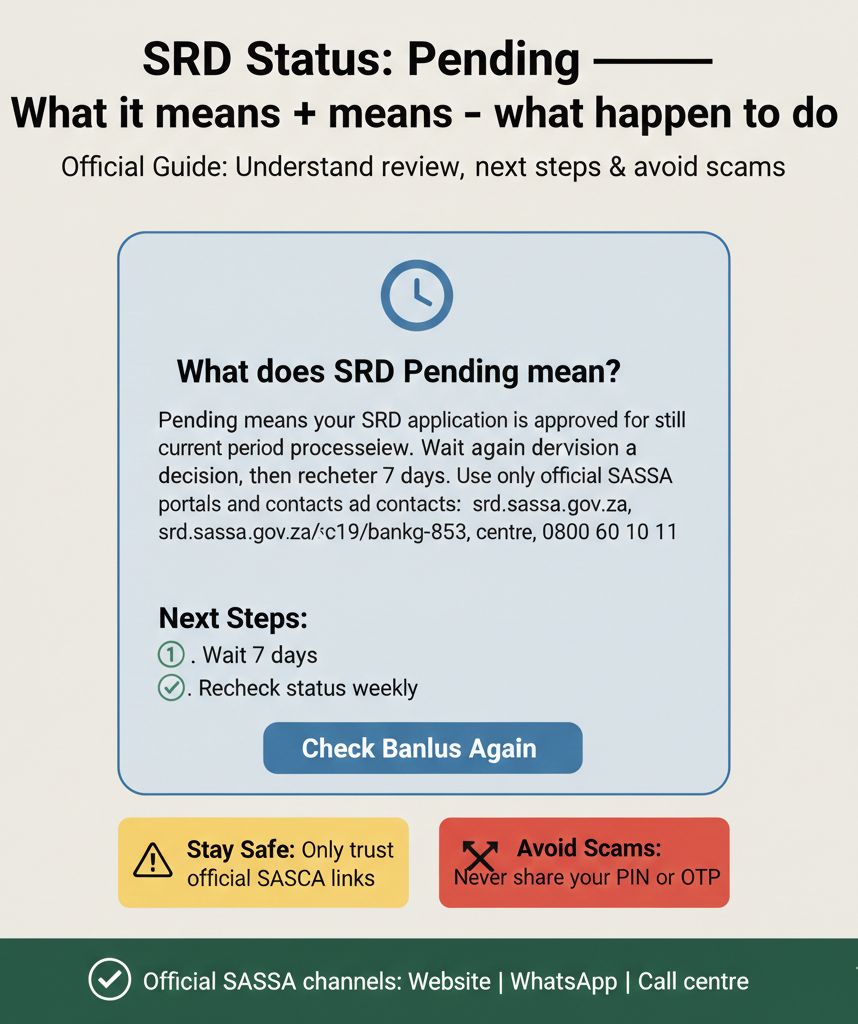
“Pending” means your SRD application is still under review. Wait for a decision, then recheck after 7 days. Use only official SASSA portals and contacts: srd.sassa.gov.za, WhatsApp 082 046 8553, call centre 0800 60 10 11.
Introduction
When your SRD status shows “Pending,” it means your application is in the review stage—it has not been approved or declined yet. SASSA is processing your application and verifying your details before making a decision. This page covers the official meaning of “Pending,” what you should do next, when to recheck your status, related statuses that may appear (like “Referred” or “Identity Verification Failed”), official links for updates and support, and scam warnings to protect your personal information.
Pending is not a rejection, and it’s not an approval—it simply means SASSA is still working on your application.
Quick Action Checklist (60 seconds)
Before reading further, complete these quick checks:
- Confirm you checked on the official SRD portal: Only use srd.sassa.gov.za to check your status. Do not trust unofficial websites or apps.
- Do not share OTP/PIN/banking details with anyone: SASSA will never ask for your OTP, PIN, or banking details via phone, SMS, or email. If someone asks for these, it’s a scam.
- If it’s Pending, wait and recheck after 7 days: The official guidance is to wait and check again after 7 days. Do not submit multiple applications or contact SASSA immediately—this can delay processing.
- If your details changed, update them using official update links: If your phone number, address, or banking details changed since you applied, update them at srd.sassa.gov.za/sc19/contact or srd.sassa.gov.za/sc19/banking-details-update.
Pending — Official Meaning
Exact status text
The exact status term shown on the SRD portal is: “Pending”. This is the official label SASSA uses when your application is under review.
What it means (plain language)
“Pending” means your SRD application has been received by SASSA and is currently being processed. SASSA has not yet made a decision on whether to approve or decline your application. During this time, SASSA is verifying your details against multiple databases, including:
- Department of Home Affairs (to confirm your identity and citizenship)
- South African Revenue Service / SARS (to check for income sources)
- Unemployment Insurance Fund / UIF (to check for employment records)
- SASSA’s own database (to check for other social grants)
This verification process takes time, especially during high-volume periods when SASSA is processing millions of applications. The official definition from the SRD portal states: “Pending: Your application is still under review.”
What happens next
After SASSA completes the verification process, your status will change to one of the following:
- Approved: Your application is accepted, and payment will be processed.
- Declined: Your application is not approved, and a decline reason will be shown (e.g., “Alternative income source identified,” “UIF registered,” “Receiving another grant”).
- Referred: Your application requires additional verification or information (see “Related statuses” section below).
- Identity Verification Failed: SASSA could not verify your identity (see “Related statuses” section below).
You will not receive a phone call or email notification when your status changes—you must check the portal yourself.
What to do after seeing “Pending”
Step 1: Wait for a decision
Do not take action based on advice from unofficial websites, social media posts, or third-party “helpers.” The official guidance from SASSA is: “Wait for a decision.” This means:
- Do not submit a new application while your current one is pending. Multiple applications can confuse the system and delay processing.
- Do not contact SASSA immediately. SASSA is processing your application and will make a decision when verification is complete.
- Do not pay anyone to “speed up” or “fix” your application. SRD applications are free, and no one can accelerate SASSA’s verification process.
Step 2: Recheck after 7 days
The official recheck guidance from SASSA states: “Check again after 7 days.” This means you should wait at least 7 days (1 week) before checking your status again. During high-volume periods (e.g., the beginning of a new payment cycle), processing may take longer.
To recheck your status:
- Go to srd.sassa.gov.za
- Enter your 13-digit ID number
- Enter your 10-digit phone number
- Click “Check Status”
If your status has changed, follow the instructions shown (e.g., confirm banking details if approved, review decline reason and appeal if declined).
Step 3: Keep your details consistent
If your contact information changed since you applied, update it immediately using the official portal. Incorrect or outdated details can cause verification failures or payment delays.
To update contact details (phone number, address): Go to srd.sassa.gov.za/sc19/contact. Enter your ID number and follow the prompts. You may be asked to confirm via OTP (one-time PIN sent to your phone). After updating, recheck your status after 24 hours to confirm the changes were processed.
To update banking details: Go to srd.sassa.gov.za/sc19/banking-details-update. Enter your ID number, phone number, and updated bank account information. After updating, recheck your status after 24 hours.
Important: No official “pending too long” timeframe
SASSA does not publish a fixed escalation timeframe for “Pending” status. This means there is no official rule like “contact us if pending for more than X days/weeks.” The processing time depends on multiple factors:
- Volume of applications being processed
- Complexity of verification (e.g., if multiple databases need to be checked)
- Technical or administrative delays
- Public holidays and weekends
Practical guidance without inventing timelines: If you need help or cannot access the portal, contact SASSA using the official channels listed below. However, understand that SASSA cannot “speed up” the verification process—they must follow their verification procedures to ensure only eligible applicants are approved.
When to contact SASSA:
- If you cannot access the portal (technical issues, forgotten phone number)
- If your details need to be updated and the online portal is not working
- If your status has been “Pending” for an unusually long time (e.g., more than 4-6 weeks) and you want to confirm your application is being processed
Do not contact SASSA daily or weekly just because your status is pending—this creates unnecessary call centre congestion and does not change the processing timeline.
Related statuses people confuse with Pending
Referred (not the same as Pending)
Meaning: “Referred” means your application has been referred for further verification. This is different from “Pending.” While “Pending” is the standard review process, “Referred” means SASSA flagged your application for additional checks. This may include manual review by a SASSA officer, cross-checking with additional databases, or contacting you directly for more information.
The official definition states: “Referred: Your application is referred for further verification.”
What to do:
- Wait for SASSA to contact you. SASSA may send you an SMS, phone call, or letter asking for additional documents or information. Keep your phone on and check your messages regularly.
- Respond to any requests. If SASSA asks for documents (e.g., proof of unemployment, proof of residence), provide them as quickly as possible. Delayed responses can delay your application further.
- Do not submit a new application. Your current application is being processed—submitting another one will cause confusion.
When to recheck: Check again after 7 days. If your status remains “Referred” for more than 2 weeks without any communication from SASSA, contact them via WhatsApp (082 046 8553) or call centre (0800 60 10 11) to inquire about the status of your verification.
Identity Verification Failed
Meaning: “Identity Verification Failed” means SASSA could not verify your identity using the details you provided. This happens when your ID number, phone number, or other personal details do not match records from the Department of Home Affairs or other government databases.
The official definition states: “Identity Verification Failed: SASSA could not verify your identity using the details provided.”
What to do:
- Update your details if changed. If your ID number, phone number, or address changed recently, update them at srd.sassa.gov.za/sc19/contact. You’ll need your current ID number and the phone number you used when you applied.
- Visit a SASSA office for biometric verification. Some applicants are required to visit a SASSA office in person to complete fingerprint and facial recognition verification. Find your nearest SASSA office at www.sassa.gov.za (use the “Find an Office” tool or contact the call centre for office locations).
- Bring your original ID document. When you visit a SASSA office, bring your South African ID card or book (not a copy or temporary ID document).
When to recheck: After updating your details or completing biometric verification, recheck your status after 2-3 days. This allows SASSA time to process the updated information and re-verify your identity.
Official links (only)
Check SRD status
This is the only official portal to check your SRD status. Enter your 13-digit ID number and 10-digit phone number to view your current status, payment dates, and any action items (e.g., update banking details, view decline reason).
Update contact details
Use this portal to update your phone number or residential address. You’ll need your ID number and may be asked to confirm via OTP (one-time PIN sent to your phone).
Update banking details
srd.sassa.gov.za/sc19/banking-details-update
Use this portal to update your bank account number, account holder name, or bank name. You can also switch to an alternative payment method (Post Office or retail collection). You’ll need your ID number and phone number.
Appeals / reconsideration
This portal is used to appeal a declined application. Appeals are mainly relevant after your status changes to “Declined”—you cannot appeal a “Pending” status because SASSA has not yet made a decision. If your status is “Pending,” wait for the decision first. If you are later declined and believe it’s an error, use this portal to submit an appeal with supporting documents.
Official contact channels
Use only these official SASSA channels for SRD help:
- Website: srd.sassa.gov.za – Primary status check method. Works 24/7. Always start here.
- WhatsApp: 082 046 8553 – This is the only official SASSA WhatsApp number for SRD help. Message your ID number to check your status or ask questions. Response time is typically 1-3 hours during business hours (Monday to Friday, 8 AM to 4 PM).
- Call centre: 0800 60 10 11 – Toll-free helpline for SRD enquiries. Call Monday to Friday, 8 AM to 4 PM. Wait times can be long during payment weeks, so try calling early in the morning or use WhatsApp first.
- Email: grantenquiries@sassa.gov.za – For written enquiries or follow-ups. Include your ID number and a clear description of your issue. Response time is typically 2-5 business days.
Scam safety (must-have block)
Safe domains
Only trust these official SASSA domains:
- srd.sassa.gov.za – Official SRD status portal
- sassa.gov.za – Official SASSA website
If a website doesn’t end in these domains, close it immediately. Do not enter your ID number, phone number, or any personal information on unofficial sites.
Never share
Never share these details with anyone, including people claiming to be from SASSA:
- OTP (one-time PIN): The OTP sent to your phone is for your use only. SASSA will never ask for your OTP via phone call, SMS, or email. If someone asks for your OTP, it’s a scam.
- PIN: If you use Post Office or retail collection, your payment PIN is private. Do not share it with anyone.
- Banking details: Do not share your bank account number, card number, or CVV with anyone claiming to “help” with your SRD application or payment.
Red flags (scam warning signs)
Be alert for these scam tactics:
- “Pay me to approve your SRD”: SRD applications, status checks, updates, and appeals are 100% free. Never pay anyone for “help” or to “speed up” your application.
- Promises of “24-48 hour payment”: SASSA does not guarantee payment timelines. Anyone promising payment within 24 or 48 hours is lying or scamming you.
- Links to non-official domains: If someone sends you a link that does not start with “srd.sassa.gov.za” or “sassa.gov.za,” do not click it. It may be a phishing scam designed to steal your information.
The official scam warning from SASSA states: “Never share your OTP, PIN, or banking details with anyone.”
Common misinformation to avoid
Many unofficial websites and social media posts spread false information about SRD “Pending” status. Here are two common myths:
- Myth 1: “Payment will be processed within 24-48 hours”
Why it’s false: SASSA does not publish or guarantee payment timelines. Processing time depends on verification complexity and application volume. Do not trust anyone promising specific timelines. - Myth 2: “Contact SASSA immediately after 1 week pending”
Why it’s false: SASSA does not state a specific escalation threshold for “Pending” status. The official guidance is to recheck after 7 days—not to contact SASSA after 7 days. Contact SASSA only if you need help accessing the portal or updating your details, not just because your status is pending.
FAQs
What does SRD Pending mean?
“Pending” means your SRD application is still under review. SASSA has received your application and is verifying your details against multiple databases before making a decision. Wait for a decision and recheck your status after 7 days at srd.sassa.gov.za.
How long should I wait if my SRD is pending?
The official guidance is to recheck after 7 days. SASSA does not publish a fixed escalation timeframe for “Pending” status—processing time depends on verification complexity and application volume. If your status remains “Pending” for an unusually long time (e.g., more than 4-6 weeks), contact SASSA via WhatsApp (082 046 8553) or call centre (0800 60 10 11) to confirm your application is being processed.
What is the difference between Pending and Referred?
“Pending” means your application is under standard review. “Referred” means your application has been flagged for additional verification, which may include manual review or SASSA contacting you for more information. Both statuses require you to wait, but “Referred” typically means extra checks are needed.
What does Identity Verification Failed mean?
“Identity Verification Failed” means SASSA could not verify your identity using the details you provided. Update your details at srd.sassa.gov.za/sc19/contact if they changed, or visit a SASSA office for biometric verification (fingerprint and facial recognition). Recheck your status after 2-3 days.
How do I update my SRD contact details?
Go to srd.sassa.gov.za/sc19/contact. Enter your ID number and follow the prompts to update your phone number or address. You may be asked to confirm via OTP. After updating, recheck your status after 24 hours.
How do I update my SRD banking details?
Go to srd.sassa.gov.za/sc19/banking-details-update. Enter your ID number, phone number, and updated bank account information. You can also switch to Post Office or retail collection. After updating, recheck your status after 24 hours.
What is the official WhatsApp number for SRD help?
The official SASSA WhatsApp number for SRD help is 082 046 8553. This is the only official WhatsApp number. Do not trust any other WhatsApp numbers claiming to be SASSA. Message your ID number to check your status or ask questions.
What details should I never share when checking SRD status?
Never share your OTP (one-time PIN), PIN (for Post Office or retail collection), or banking details (account number, card number, CVV) with anyone. SASSA will never ask for these details via phone call, SMS, or email. If someone asks for these, it’s a scam.
Final Thoughts
A “Pending” status is a normal part of the SASSA grant lifecycle. While the wait can be stressful, it simply means your information is being verified to ensure fairness in the system. Follow the official recheck guidelines, keep your details updated on verified portals, and remain vigilant against any “helpers” who ask for sensitive information or payment.
Pending is progress—check back in 7 days.